13
OPERATING THE VARIPUMP
GENERAL OPERATING ADVICE
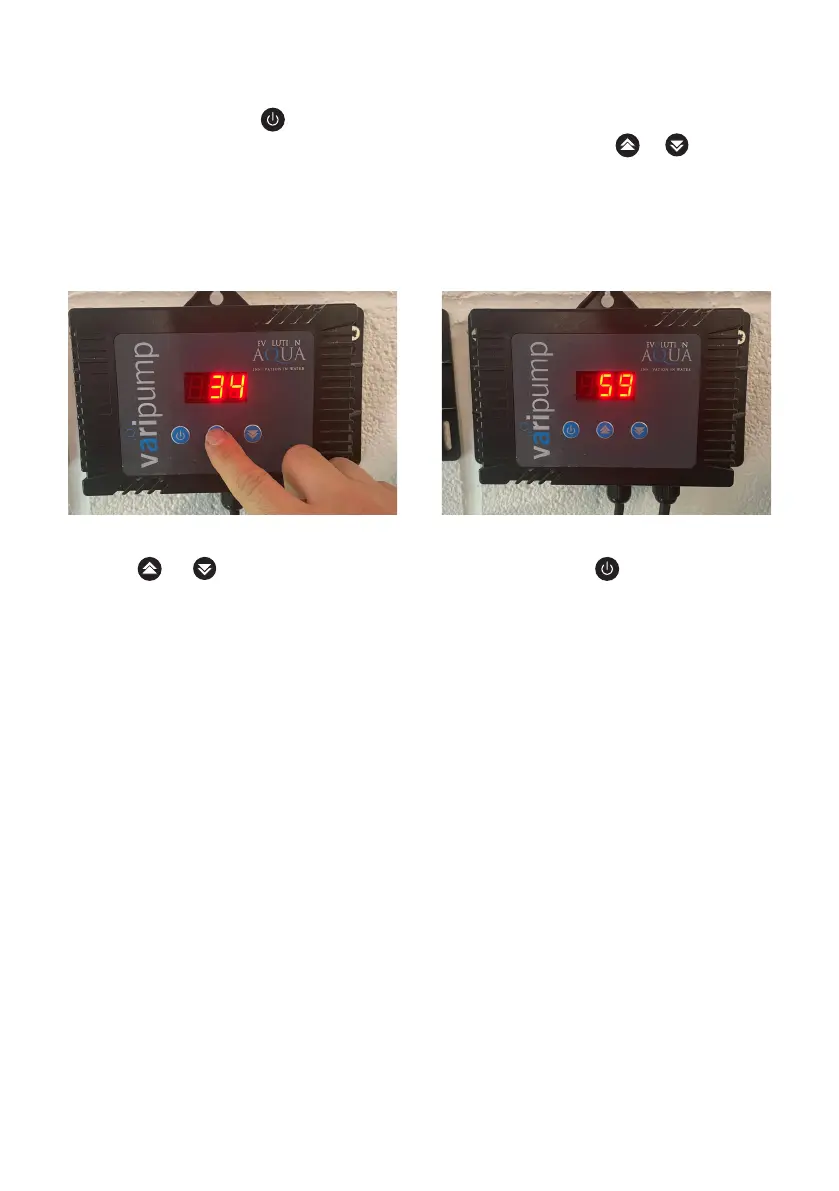
Once connected, use the button to turn the Varipump on or off. The display shows the
operating wattage that the Varipump is running at. When you press the or buttons to
increase or decrease the flow rate, a number between 0 and 100 appears on the screen.
This indicates the percentage of power that the pump is running at. ZERO means no flow
and 100 means maximum flow (100%). After a few seconds the display reverts back to
display the current wattage.
It may be possible that the operating wattage displayed fluctuates at different times of
the day, this is perfectly normal.
If the display shows letters and numbers, this is a fault code, see TROUBLESHOOTING.
Do not operate the Varipump without water.
Do not use when temperatures are less then 0°C and 35°C. If there is a chance that the
water will freeze over and restrict the flow, then you should take it out of the pond and
dry it out. Store it over Winter in a dry place, then reconnect the pump again in Spring.
The Varipump is not self-priming, therefore, if the water level is below the pump,
a non-return valve must be installed below the water level. The pump and inlet line
must be primed prior to start up. For non-flooded installations a check valve (non-return
valve) is recommended.
Percentage of power displays briefly when
pressing or
Wattage displays when Varipump is on.
Press power button to Varipump off.


 To Next Page