© 2021 Evolution Digital, LLC. All Rights Reserved.
16
Replacement Remote Pairing
Pairing Guide:
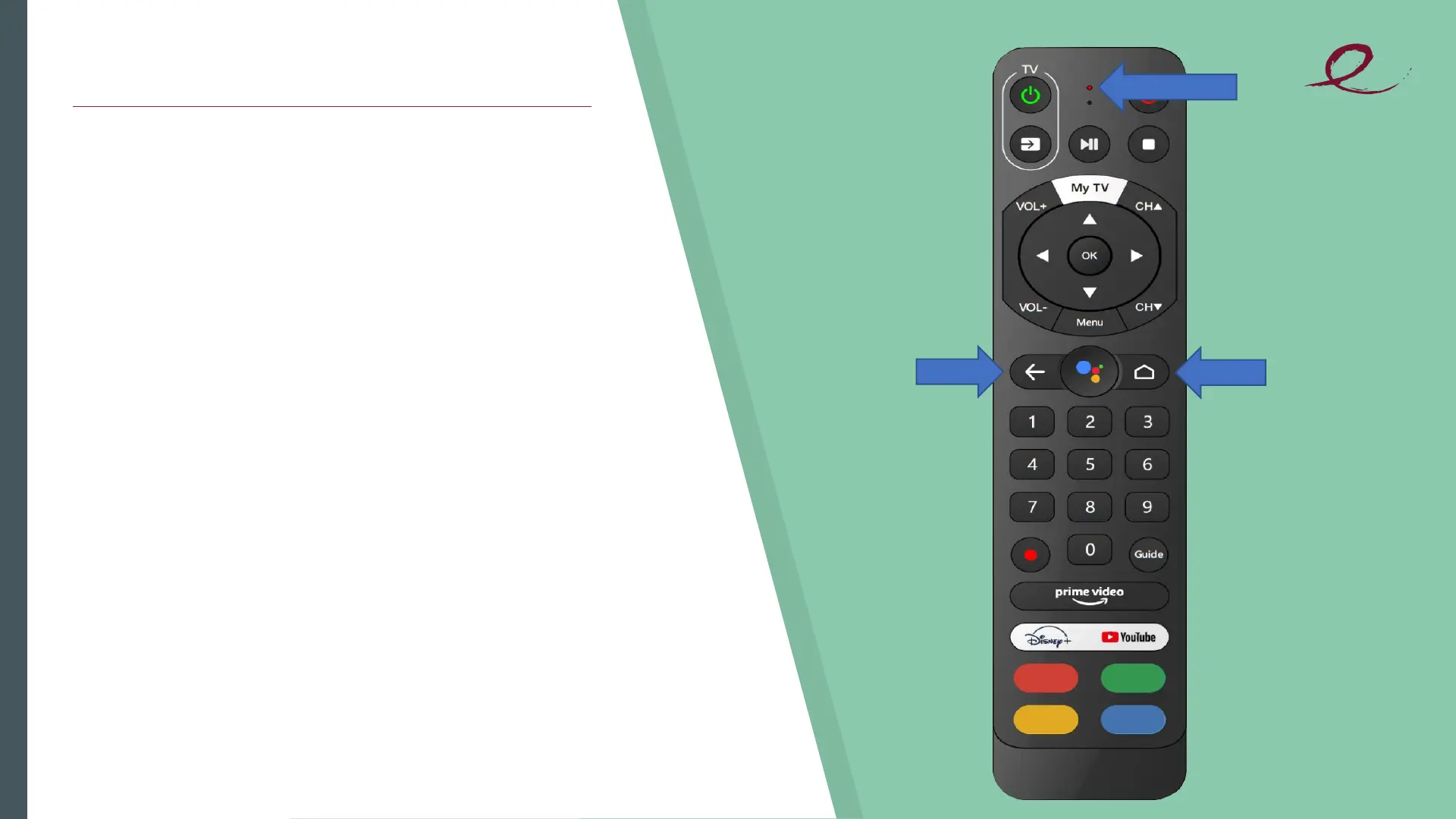
Long press the Home and Back buttons
at the same time, until the Red Light
flashes quickly, then release. That means
the RCU has entered pairing mode. Wait
a few seconds without pressing any
buttons, until you see the pop-up
message of pairing success.
HOME
BACK
RED LIGHT


 To Next Page