83
8.2.2 Live View
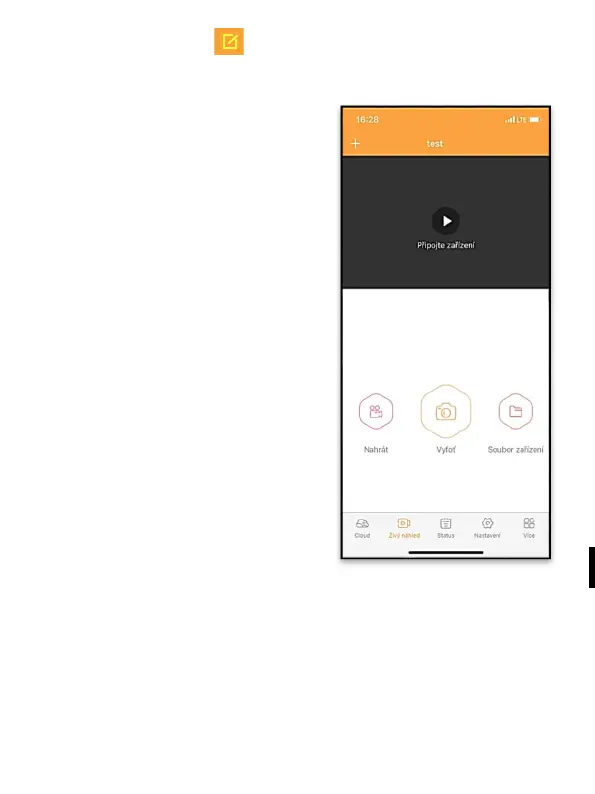
This tab is used to display the
Live View, send commands
for immediate recording or
browsing files on the device
(Live View must be active –
the connection to the camera
must be established)
Live View – a SIM card with
an active data package must
be inserted in the camera to
display the camera view. To
connect, press the arrow in
the middle of the black
screen – the connection can
take several tens of seconds,
depending on the signal
quality of the device and the
connection speed. To end the
transfer, go to another tab or
close the application.
Recording – press the Record or Capture button to capture a
photo or video. The action is performed with a delay of several
seconds.


 To Next Page