84
Files on the device – can be used only when the Live View
function is active (a direct connection to the camera is
established). Files can be browsed, deleted or copied directly in
the device.
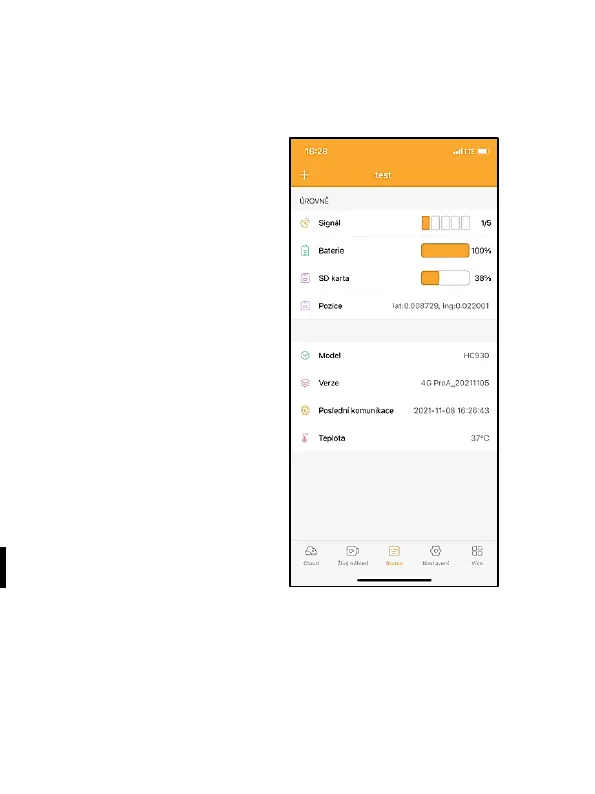
8.2.3 Status
The Status tab shows the
camera status.
It shows the status after the last
data exchange between the
server and camera. To update
the status, you can use the
swipe-down gesture.
Signal – indicates the level of the
camera GSM (Global System for
Mobile Communication) signal
Battery – the current charge
status of the inserted battery. If
the camera is connected to
external power supply, it shows
100% charge
SD card – indicates the
percentage of filled capacity of
the SD card inserted
Position – opens a menu where the current camera position can
be saved using map data and GPS in your phone. The camera
does not include the GPS module.


 To Next Page