85
Model – shows the model of your device
Version – FW version of you camera
Last communication – time and date of the last synchronisation
with the camera
Temperature – device temperature – if you use the Live View
function for a long time or the camera frequently takes photos or
videos, the temperature information may be affected by the heat
generated by the device during operation.
8.2.4 Settings
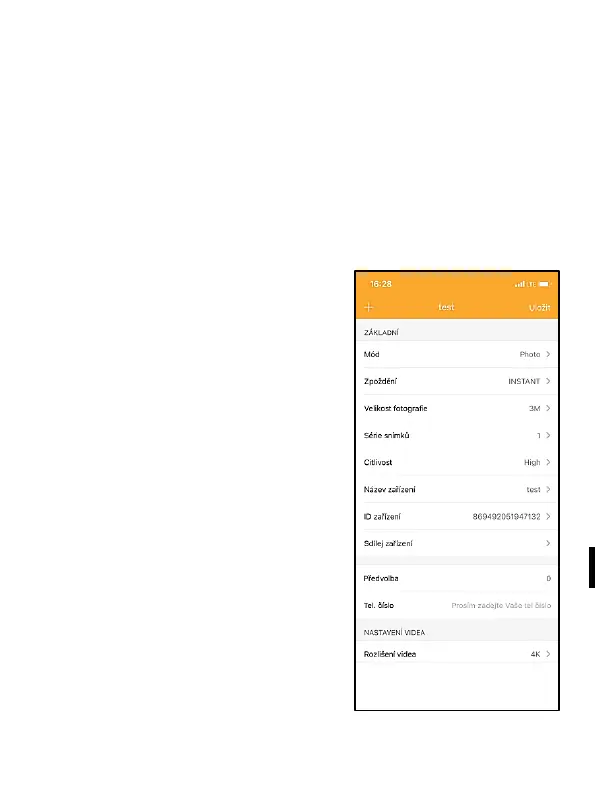
The settings can be applied when
the camera is activated. Each
time the setting is changed, it is
necessary to Save it – with the
button in the upper right corner,
when saving, it is necessary to
select Immediate overwrite,
otherwise the changes will be
overwritten only during the next
data exchange between the
Camera and the server.
General
Mode – sets the mode in which
the camera operates when
activated – Photo / Video / Photo
& Video / Timelapse


 To Next Page