AirKey system manual version 2.7 |
06/03/2024 | Subject to technical changes and misprints
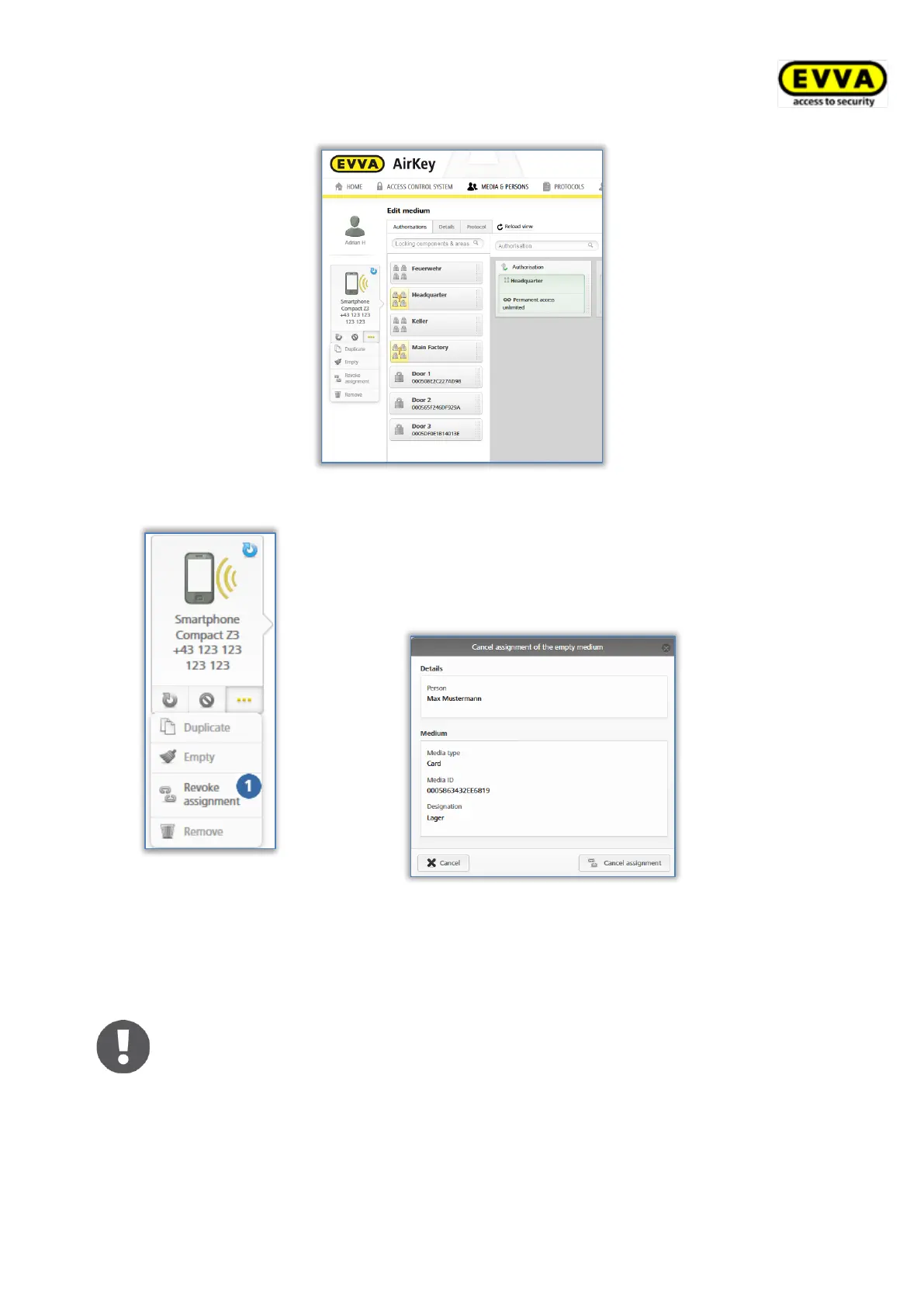
Figure 194: Assigned media
Figure 195: Media – cancelling
assignments
> Click More... → Cancel assignment if there are no
longer any authorisations on the medium.
> Click Cancel assignment to confirm the security
prompt.
Figure 196: Cancelling assignments without authorisations
A message indicating the assignment has been cancelled successfully appears on the screen.
You are automatically forwarded to the personal details of the affected person.
Deactivate the special authorisation "maintenance authorisation" on smart-
phones to be able to cancel assignments.
Delete any authorisations on the medium first. You can also use the Empty
medium function for the Cancel assignment function to clear all authori-
sations of the medium.


 To Next Page
 Loading...