AirKey uses push notifications to change smartphone data and consequently
update smartphones automatically. We cannot guarantee all push
notifications can be received correctly. For this reason, check whether the
notifications have been received and (if applicable) update your smartphone
manually.
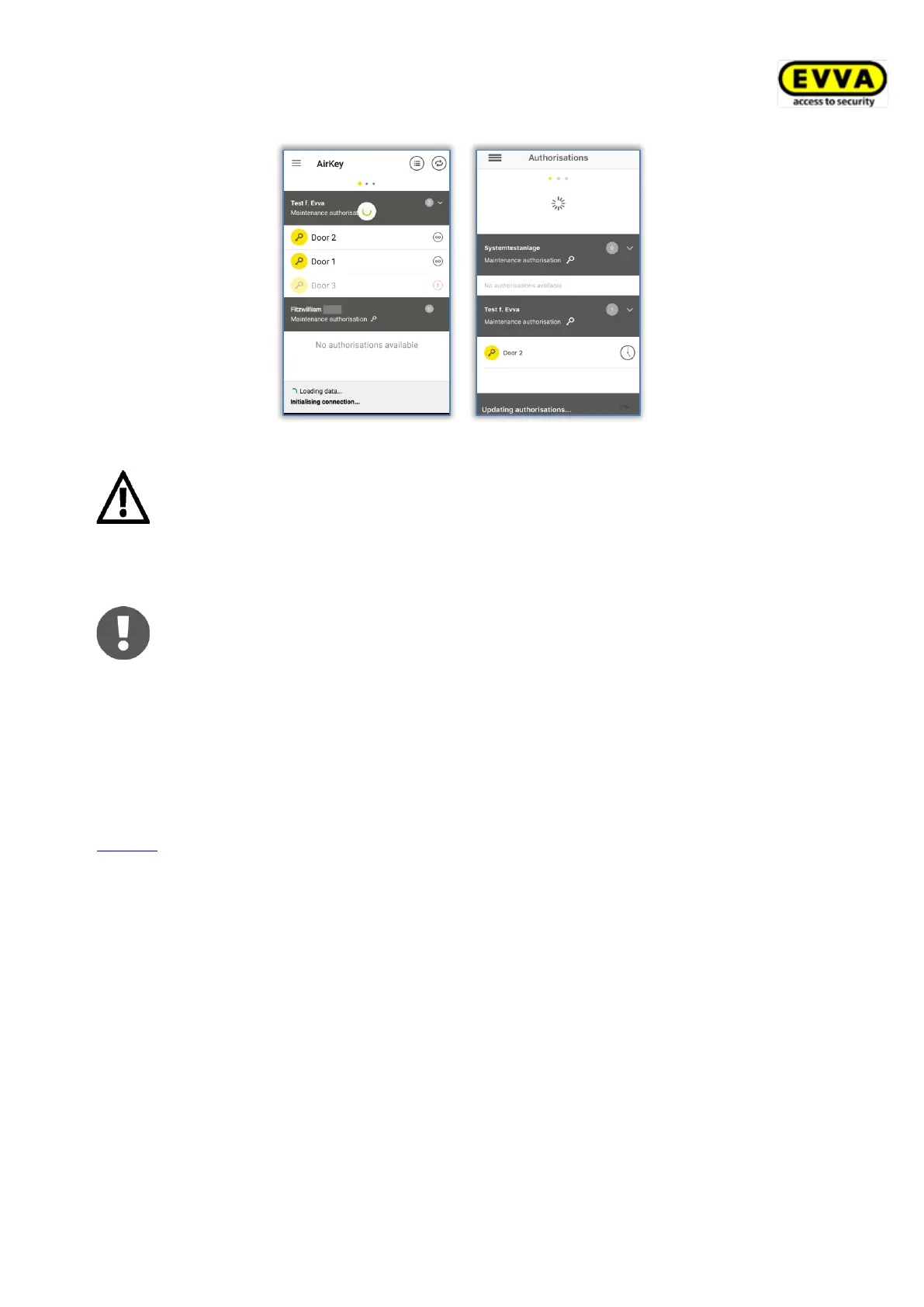
The smartphone is automatically updated as soon as you start the AirKey
app or every 12 hours an attempt is made to update the smartphone
automatically, if the AirKey app has already been started.
During the update the bottom section of the AirKey app shows status information regarding
the update. The update is complete once the information is no longer shown.
Optionally, the update can also take place after each access process. To do this, however,
the option "Update after each access" must be activated in the respective AirKey access
control system. The activation and details of this function are described in the chapter
General.
6.11 Connecting to components
Use your smartphone to update any access medium (except smartphones) and any locking
component regardless of their association with this access control system.
> Establishing a connection using NFC (for Android smartphones): Tap the Connect to
component icon.
> Establishing a connection using Bluetooth (for Android smartphones): Tap the
context menu of the locking component to which you would like to establish a
connection (⋮) and then select Connect .
> Establishing a connection using Bluetooth (for iPhones): Swipe the component
designation of the locking component to which you would like to establish a
connection and then select Connect .


 To Next Page
 Loading...