AirKey system manual version 2.7 |
06/03/2024 | Subject to technical changes and misprints
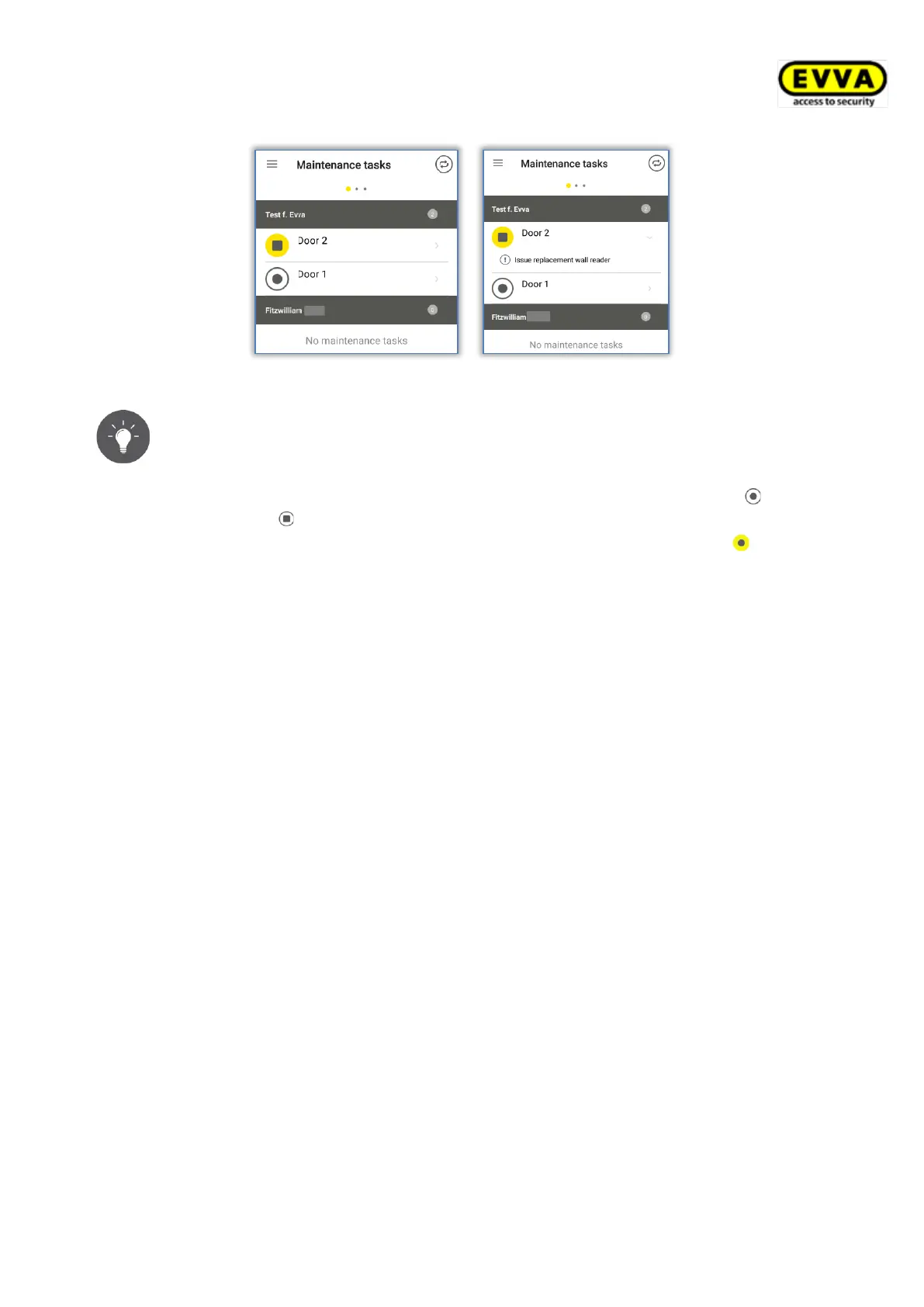
Figure 246: Maintenance tasks
As the maintenance engineer you are responsible for regularly checking
maintenance tasks to be able to quickly update any locking components
where updates are required.
If you come within range of a Bluetooth locking component (cylinder or
wall reader ) with a smartphone featuring maintenance authorisation, the
icon of this locking component is highlighted in yellow (e.g. for
cylinders).
Tap the yellow icon to establish a connection to the locking component and
update the component. The system then shows component details. Due
firmware updates are indicated in the component details and can be started
from here.
If you update locking components as the maintenance engineer, the system shows an
overview of locking component details to enable you to directly check the locking component
status and cylinder events in an event log.
> Update locking components to show the component details. If available, you also see
the location of the locking component as GPS coordinates or the address you
manually saved in the AirKey Online Administration. Tap the yellow icon to be
automatically forwarded to the map provider you set on your smartphone by default.


 To Next Page
 Loading...