authorises you to unlock locking components in factory state, add and remove locking
component and access media (except smartphones) to and from your access control system
or update the firmware of locking components or the Keyring version of access media, such
as cards, key fobs, combi keys or wristbands.
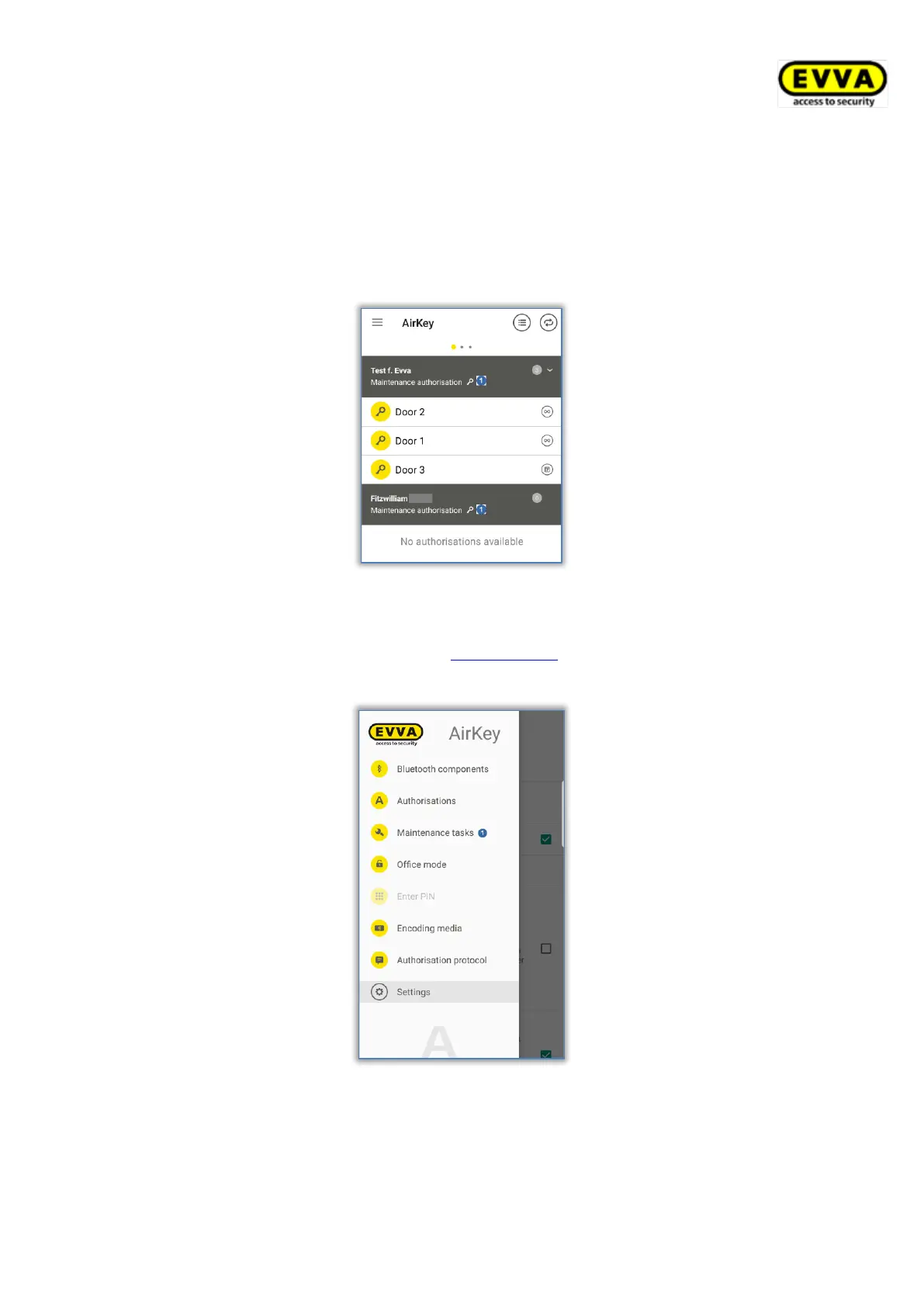
The "Authorisations" AirKey app page with the "Maintenance authorisation" entry in the
grey bar indicates maintenance authorisation.
Figure 244: Maintenance authorisation
Maintenance authorisation is activated in the details of the corresponding smartphone within
AirKey Online Administration. Please refer to Editing media for more information.
The Maintenance tasks menu item is additionally enabled in the AirKey app.
Figure 245: "Maintenance tasks" menu item in the main menu
> Select it to view a list of maintenance tasks for locking components within your
access control system. Tap a locking component name to open a list of due
maintenance tasks for this locking component.


 To Next Page
 Loading...