AirKey system manual version 2.7 |
06/03/2024 | Subject to technical changes and misprints
safe to be able to operate the access control system regardless of the
AirKey Online Administration. Please refer to Authorisations for more
information on assigning authorisations.
Use the combi key side featuring the RFID icon when adding combi keys
using coding stations. Hold the combi key directly on the coding station.
The process will not work across the entire coding station reader area –
with the current type (HID Omnikey 5421) combi keys are exclusively
detected in the top and the bottom third of the coding station.
Please refer to Adding cards, key fobs, and combi keys for more information
on adding media to your access control system using smartphones with
maintenance authorisations.
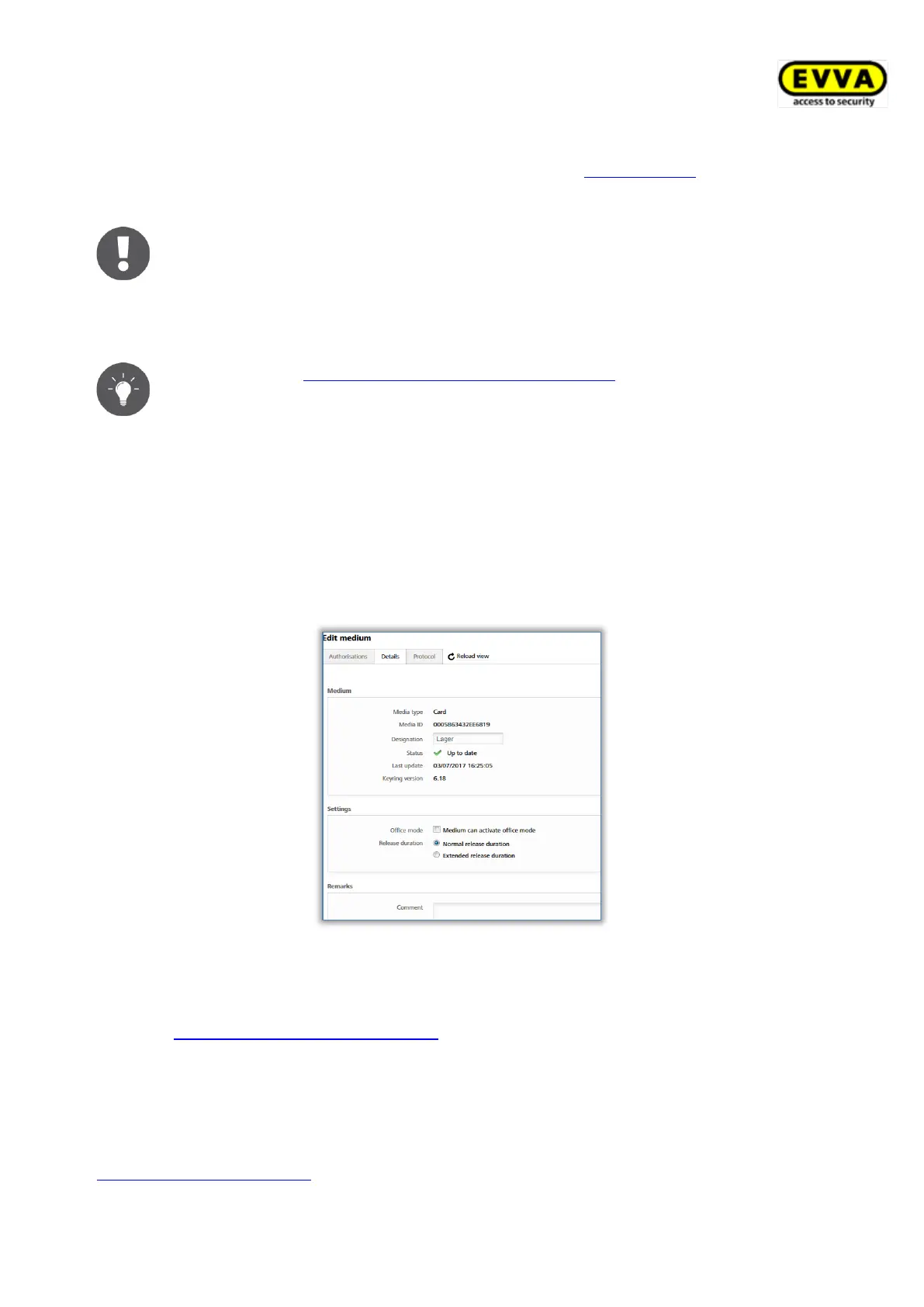
5.6.10 Editing media
> On the Home screen, select the Smartphones or Cards tile.
> Alternatively select Media & persons → Media in the main menu.
> Select the desired medium from the overview list.
> Select the Details tab to edit the medium.
Figure 174: Editing media – cards
> Click Save to confirm the changes.
5.6.11 Assigning persons to media: See chapter 4.13
5.6.12 Authorisations
Authorisations control access of persons to locking components. Media must have already
been assigned to persons to be able to create authorisations for media. Please refer to
Assigning media to persons for more information on how to assign media to persons.


 To Next Page
 Loading...