> Establishing a connection using NFC (for Android smartphones): Tap the Connect to
component icon.
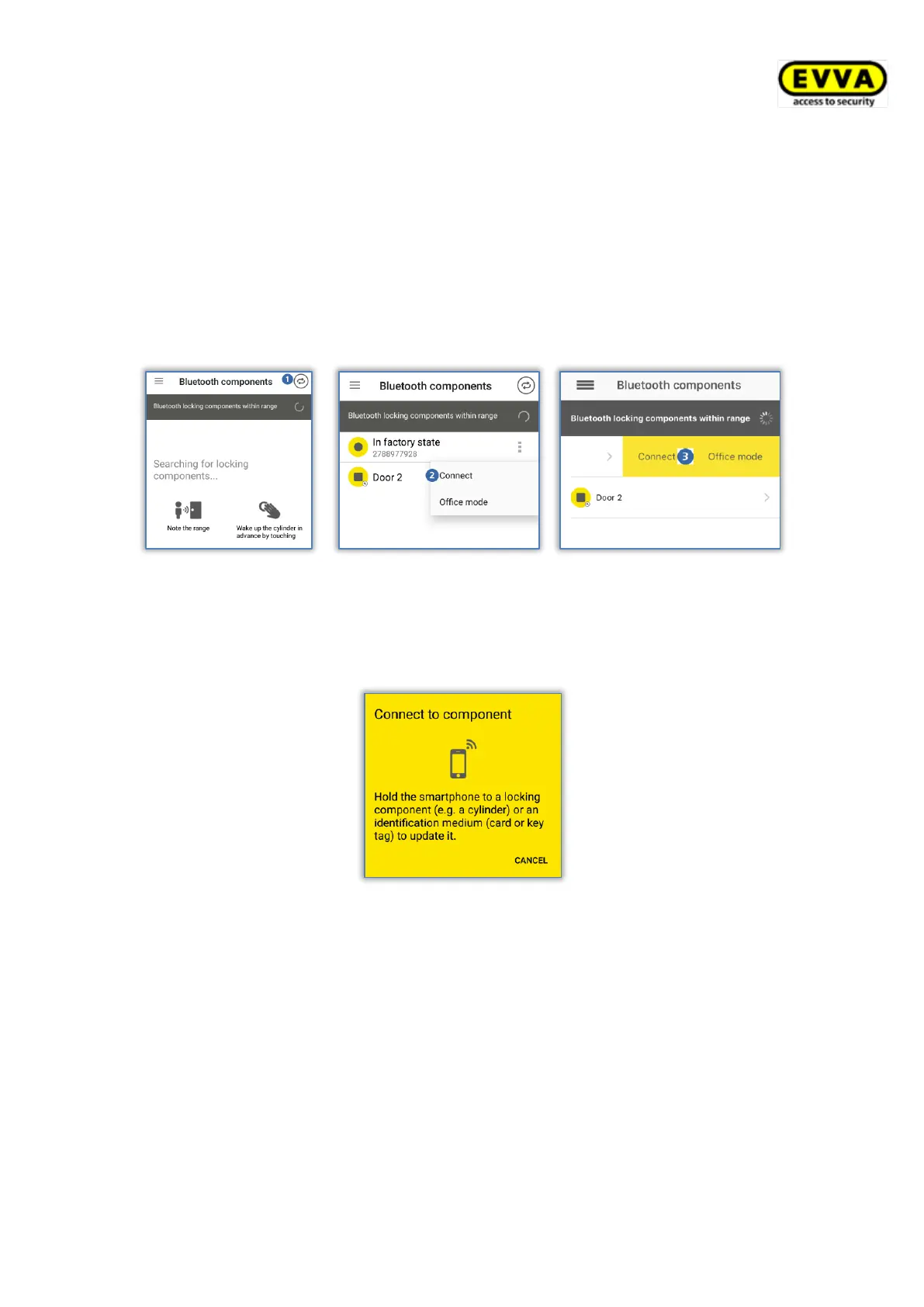
> Establishing a connection using Bluetooth (for Android smartphones): Tap the
context menu of the locking component to which you would like to establish a
connection (⋮) and then select Connect .
> Establishing a connection using Bluetooth (for iPhones): Swipe the component
designation of the locking component to which you would like to establish a
connection and then select Connect .
Figure 248: AirKey app – connecting to component (Android NFC / Android Bluetooth / iPhone)
> Follow the on-screen instructions and hold the NFC smartphone to the medium or
locking component; or bring the Bluetooth smartphone into range of the locking
component.
Figure 249: AirKey app – connecting to component
Hold the NFC smartphone to the locking component/medium that has already been removed
from the AirKey Online Administration, hold the Bluetooth smartphone within range of the
component you would like to remove or directly hold it to the medium you would like to
remove and follow the instructions.


 To Next Page
 Loading...