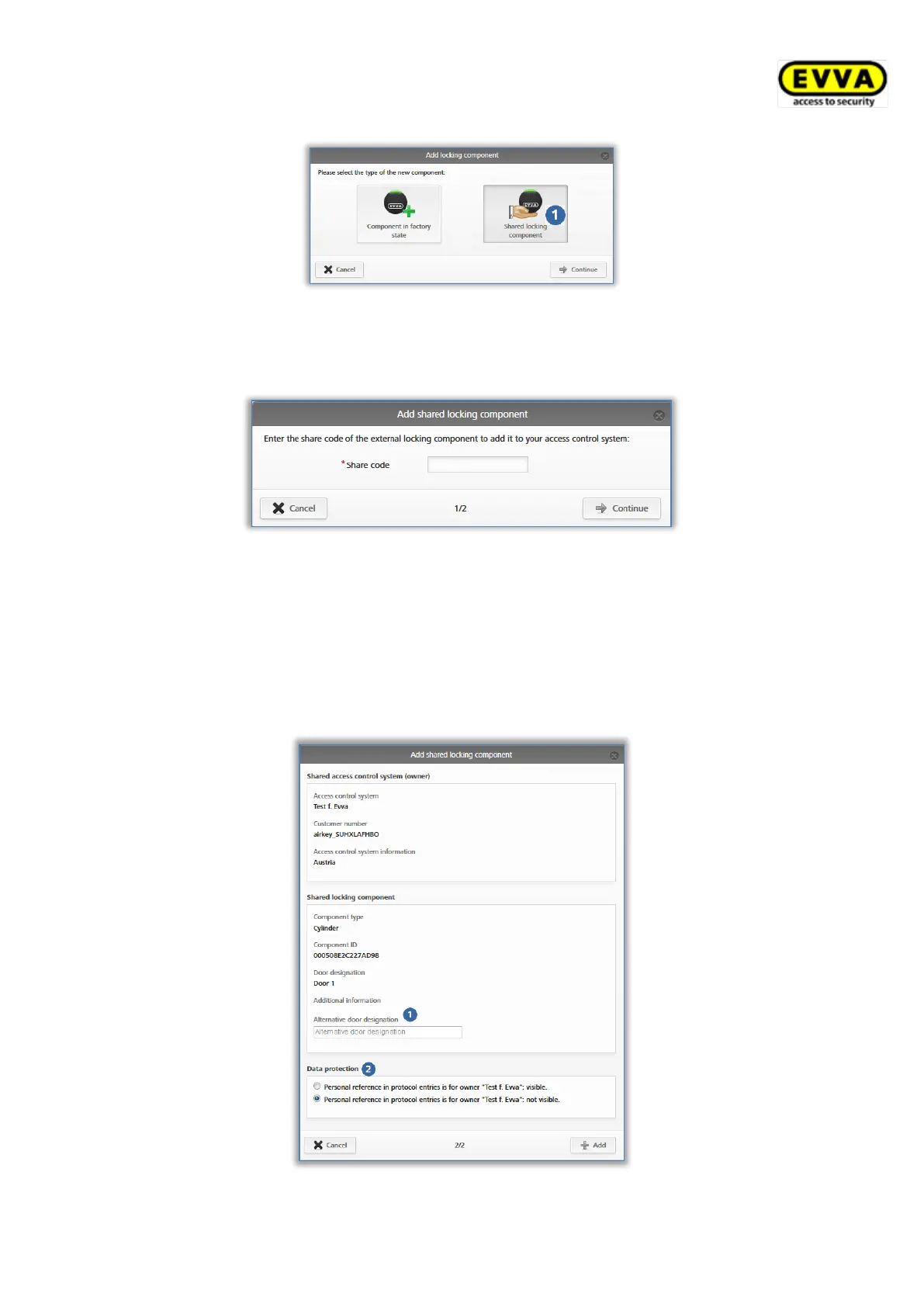
Figure 312: Adding shared locking components
> Enter the sharing code from the other access control system to add the locking
component.
Figure 313: Adding shared locking components
An error message appears if the sharing code is incorrect.
Once you have entered a correct sharing code, you can change the following settings:
> Alternative door designation
> In Data protection the personal data in event log entries may be visible to the owner
of the locking component or they may have been rendered anonymous .
Figure 314: Adding shared locking components


 To Next Page
 Loading...