AirKey system manual version 2.7 |
06/03/2024 | Subject to technical changes and misprints
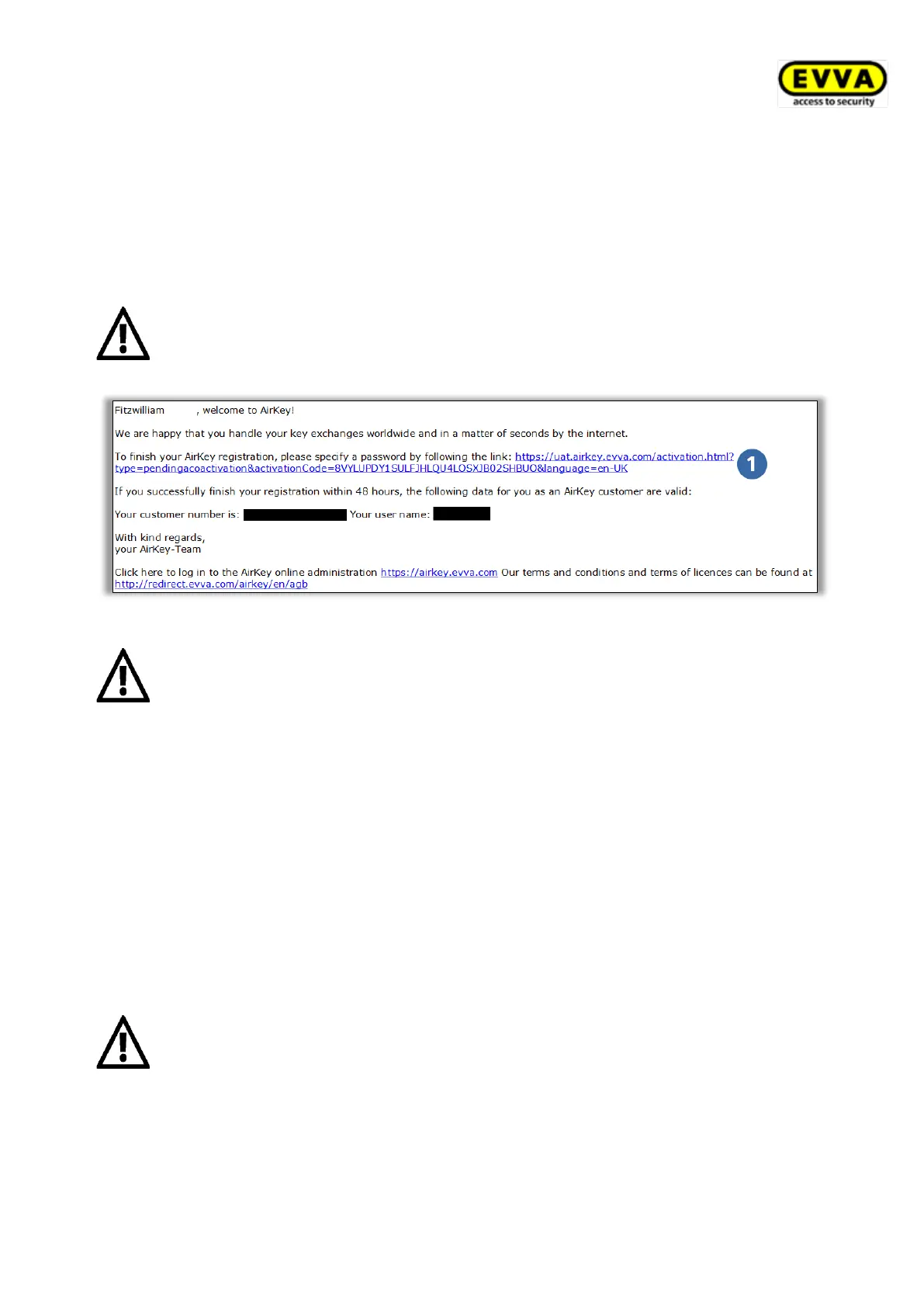
The access control system automatically generates one user ID and one registration link and
sends it to the e-mail address you stated as part of a registration e-mail.
> Open your e-mail client. It will contain an e-mail from EVVA AirKey with the subject
line "EVVA AirKey registration".
> Open the e-mail and click the registration link.
Keep this e-mail safe. If you need support, you require the unique user ID
and your customer number in the e-mail.
Figure 6: "EVVA AirKey registration" e-mail
The registration link in the e-mail is valid for 48 hours only.
An error message indicating an invalid registration link will appear if the
registration link has expired or if it is invalid. In this case, you must re-
register.
The Welcome window opens after having clicked the registration link. This is where you
complete registration.
> Enter a personal password for the AirKey Online Administration.
The password must contain at least 6 characters and one numeral, as well as an
upper-case and a lower-case letter. An error message is output if your password does
not meet the specifications.
> Re-enter your password.
> Enter your date of birth. It is used as a security question to confirm your identity if
you have forgotten your password.
We recommend you make your AirKey password as long as possible and do
not disclose it.


 To Next Page
 Loading...