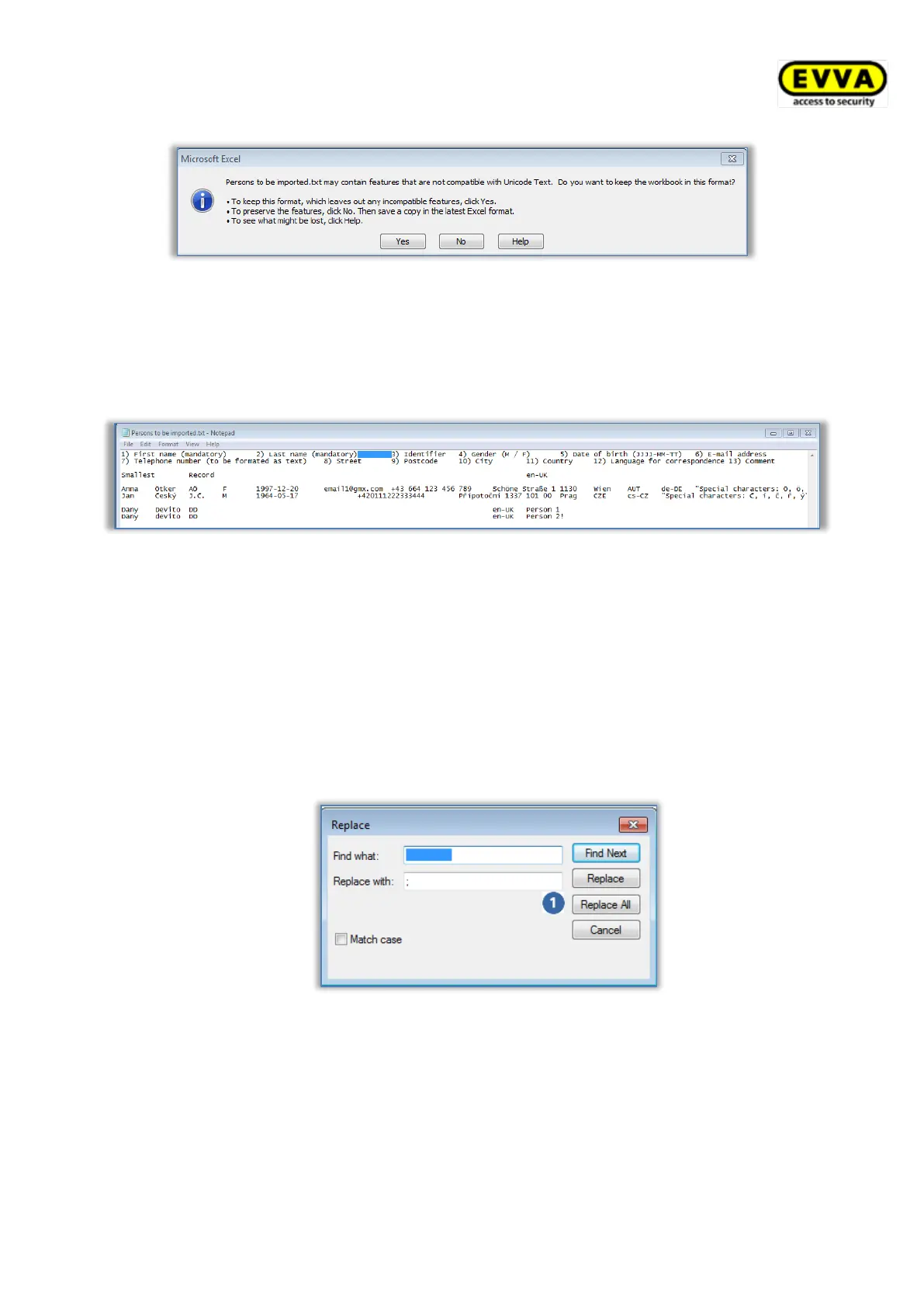
Figure 33: Excel – Save as "Unicode Text (*.txt)"
> Open the file you created (*.txt) using a text editor. As standard, Windows™ uses the
Editor program.
> Tab is the separator in the Unicode text file. All tabs must be replaced by semicolons
(;). For this purpose, initially highlight a tab between two fields and copy it.
Figure 34: Text file in "Editor" – highlight a tab and copy it to clipboard
> Confirm the subsequent Excel question regarding "Unicode Text" with Yes.
> In Editor open the Edit → Replace menu item to open the "Replace" dialogue
window.
• Insert the tab character from the clipboard in the Search field because it is
not possible to directly input it here.
• Enter a semicolon (;) in the Replace field.
• Click Replace all .
Figure 35: "Editor" – replacing all tabs with semicolons
> Close the "Replace" dialogue window and in Editor open the Edit → Save as menu
item to open the "Save as" dialogue window.
• Manually change the file suffix from .txt to .csv in the File name field. It
will be more complicated to rename the file suffix at a later stage!
• In the drop-down list select Encoding and UTF-8 format.
• Click Save .


 To Next Page
 Loading...