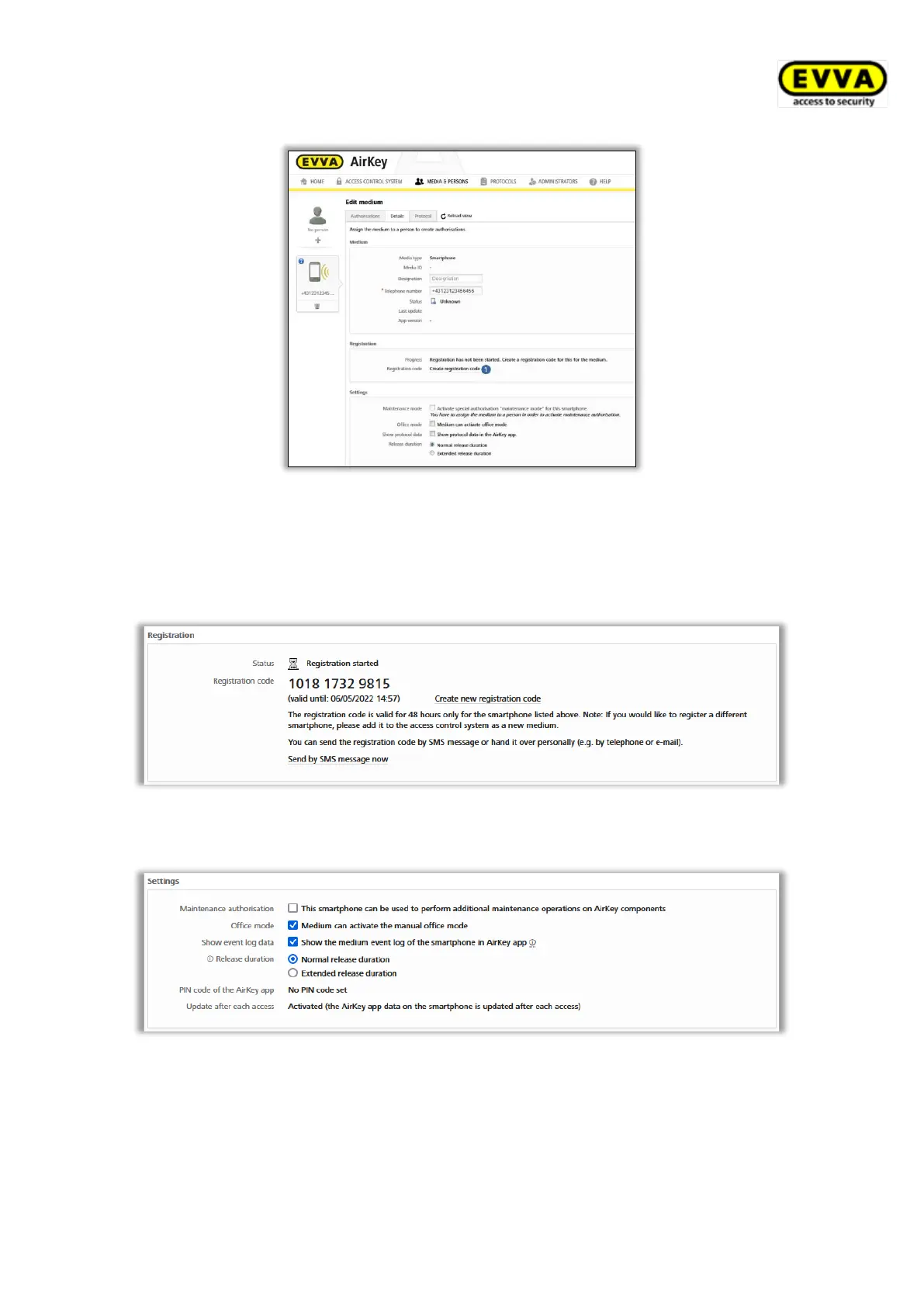
Figure 42: Creating registration codes
The Registration section shows a valid registration code and its expiry date. You can also
send it by text message (SMS). For this purpose, you must merely click the corresponding
link. Then the exact date and time appears when the registration code was sent by text
message (SMS).
Figure 43: Registration code
Specify the following parameters in the Settings section in the smartphone’s details section:
Figure 44: Editing media – settings
> Maintenance authorisation: This special authorisation can exclusively be activated
on smartphones that have already been assigned to a person. Smartphones with this
function are granted to unlock locking components in factory state and add or delete
media as well as locking components to access control systems. The maintenance


 To Next Page
 Loading...