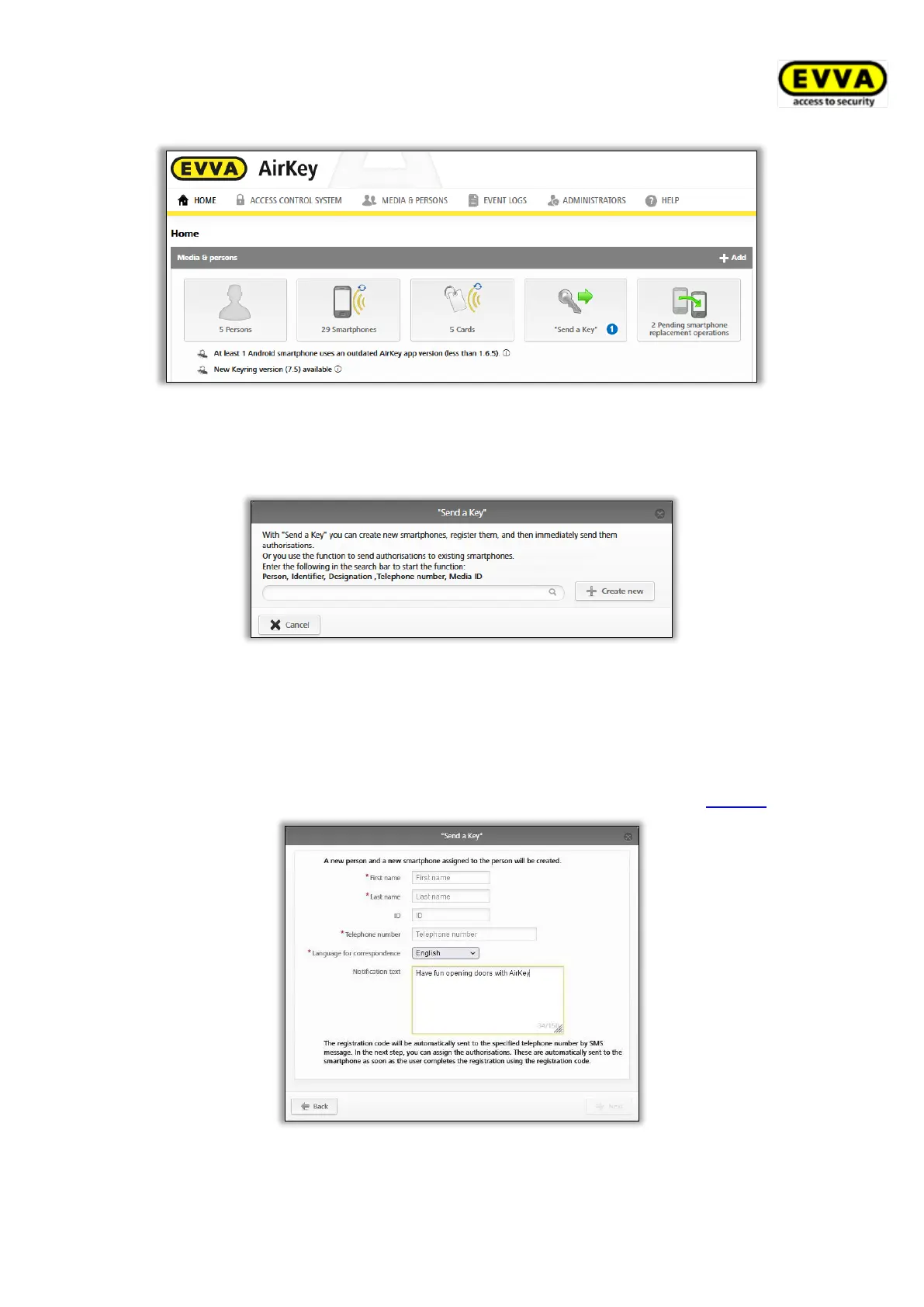
Figure 47: "Send a Key"
> Enter a person’s name, code, etc. in the search field. If you are aware of the fact the
user has not yet been created, select Create new.
Figure 48: "Send a Key" – search field
> Click Continue once you have completed all mandatory fields. A text message is
immediately sent to the corresponding user containing a link to the AirKey app to
register for an access control system. If you have selected an own text for the "Send
a Key" SMS in the general settings, you can also adjust or personalise the text of the
SMS here. (Details about the general settings can be found in chapter General.)
Figure 49: "Send a Key" – creating persons


 To Next Page
 Loading...