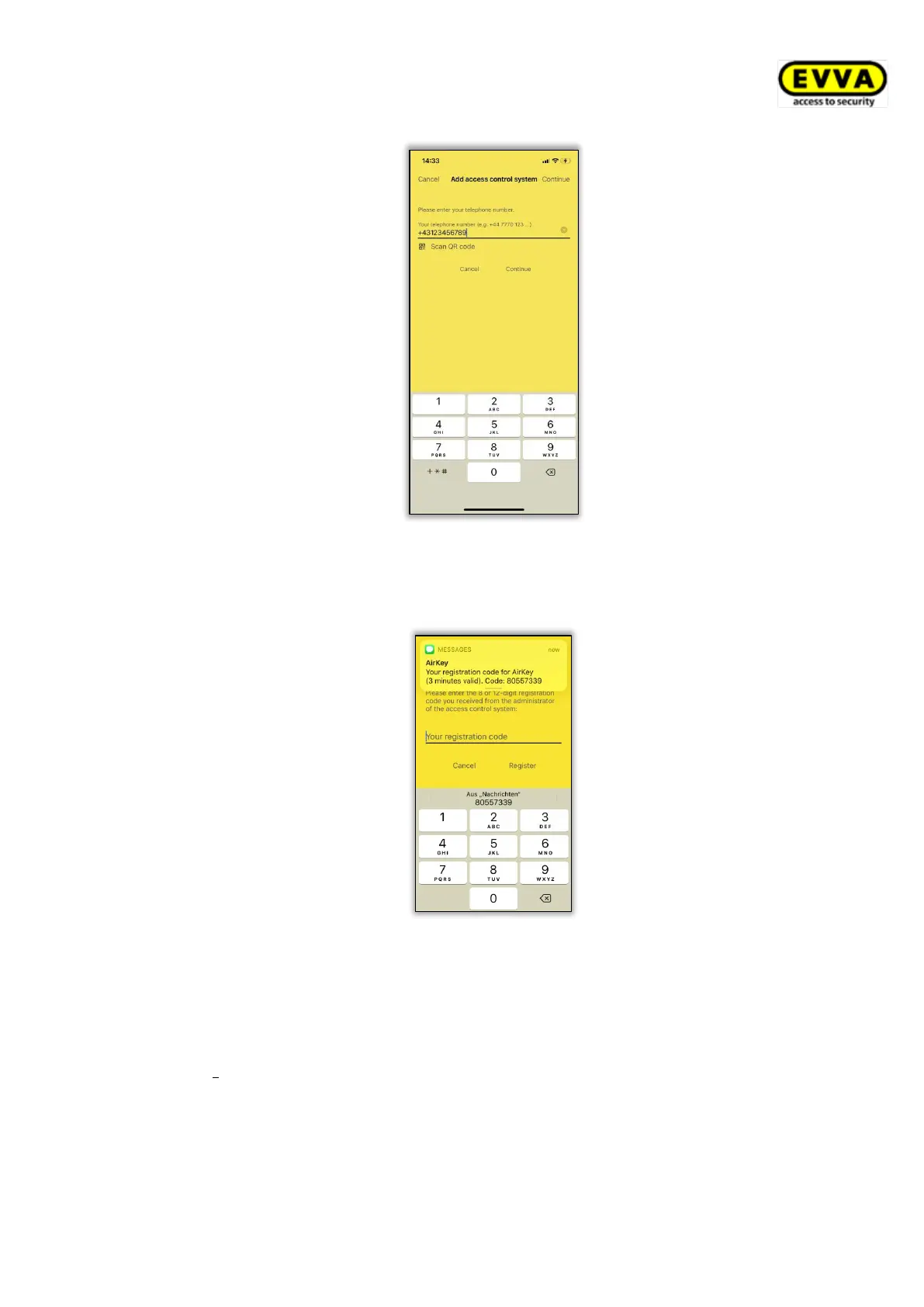
Figure 52: Enter phone number (iOS)
> You will receive another SMS. Stay in the AirKey app and select the
eight-digit registration code that will be displayed above the keyboard.
Figure 53: Registration code (iOS)
If the eight-digit registration code is not displayed as a suggestion, or
you have closed the AirKey app in the meantime, you must copy the
eight-digit registration code from the SMS and paste it within the
AirKey app.
> Finish the registration with Register.
In the AirKey Online Administration you are taken to the Edit medium authorisation view to
create the desired authorisations. Drag and drop the corresponding locking component to
which you would like to grant the access authorisation to the desired access type


 To Next Page
 Loading...