AirKey system manual version 2.7 |
06/03/2024 | Subject to technical changes and misprints
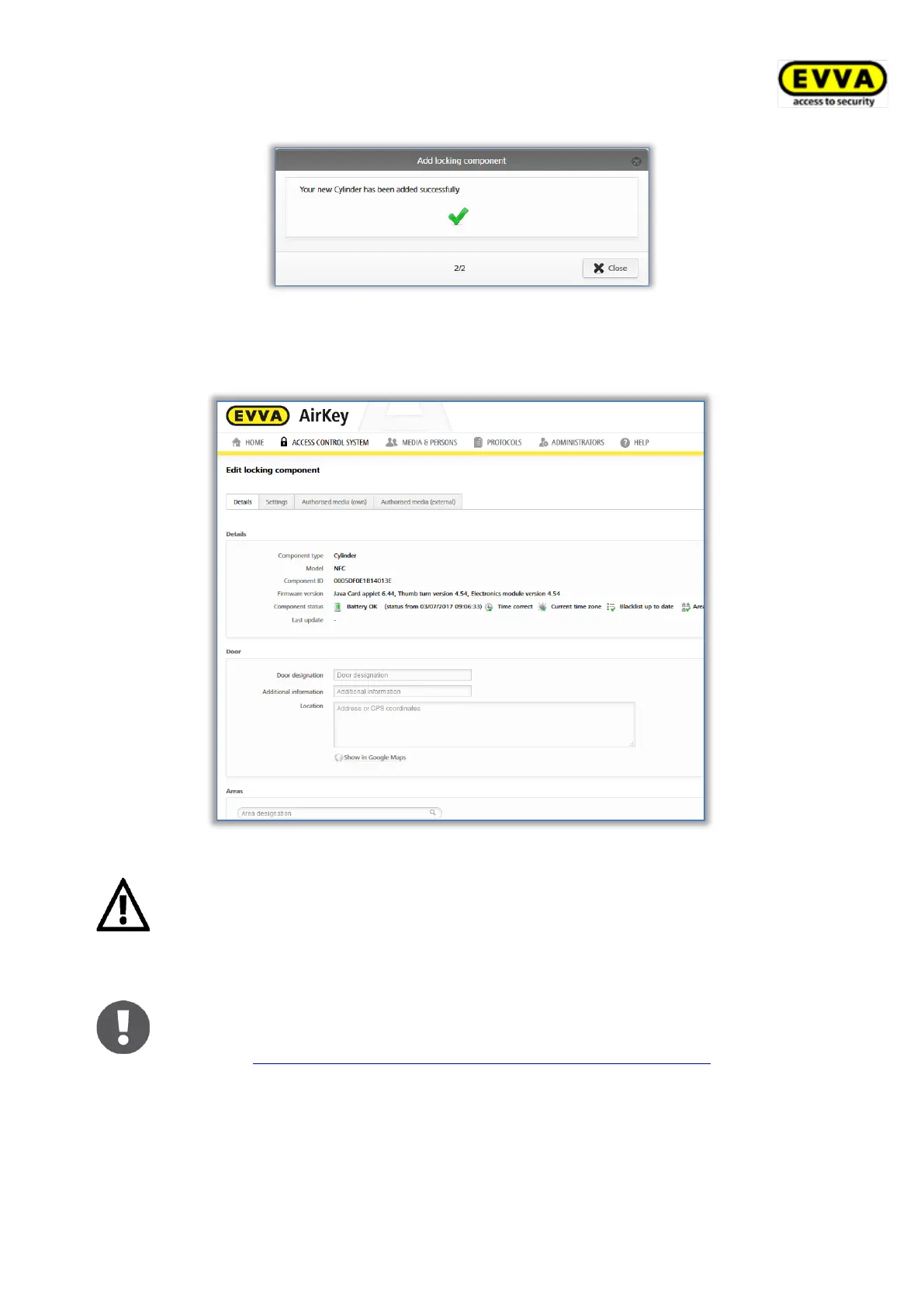
Figure 66: Adding locking components – confirmation
After having confirmed the prompt, you are forwarded to the detailed locking component
view.
Figure 67: Locking component details
The locking component is now no longer in factory state. Media in factory
state or smartphones with maintenance authorisation are consequently no
longer authorised to unlock the locking component. Add a medium or
smartphone to the access control system and assign valid authorisations to
said locking components to continue to be able to unlock them.
The default time zone and data protection settings are automatically confi-
gured for the added locking component according to the specified settings.
Refer to Default values (for all recently added locking components) for more
information on these settings.


 To Next Page
 Loading...