AirKey system manual version 2.7 |
06/03/2024 | Subject to technical changes and misprints
Check the e-mail address to which the activation link is sent before you
save.
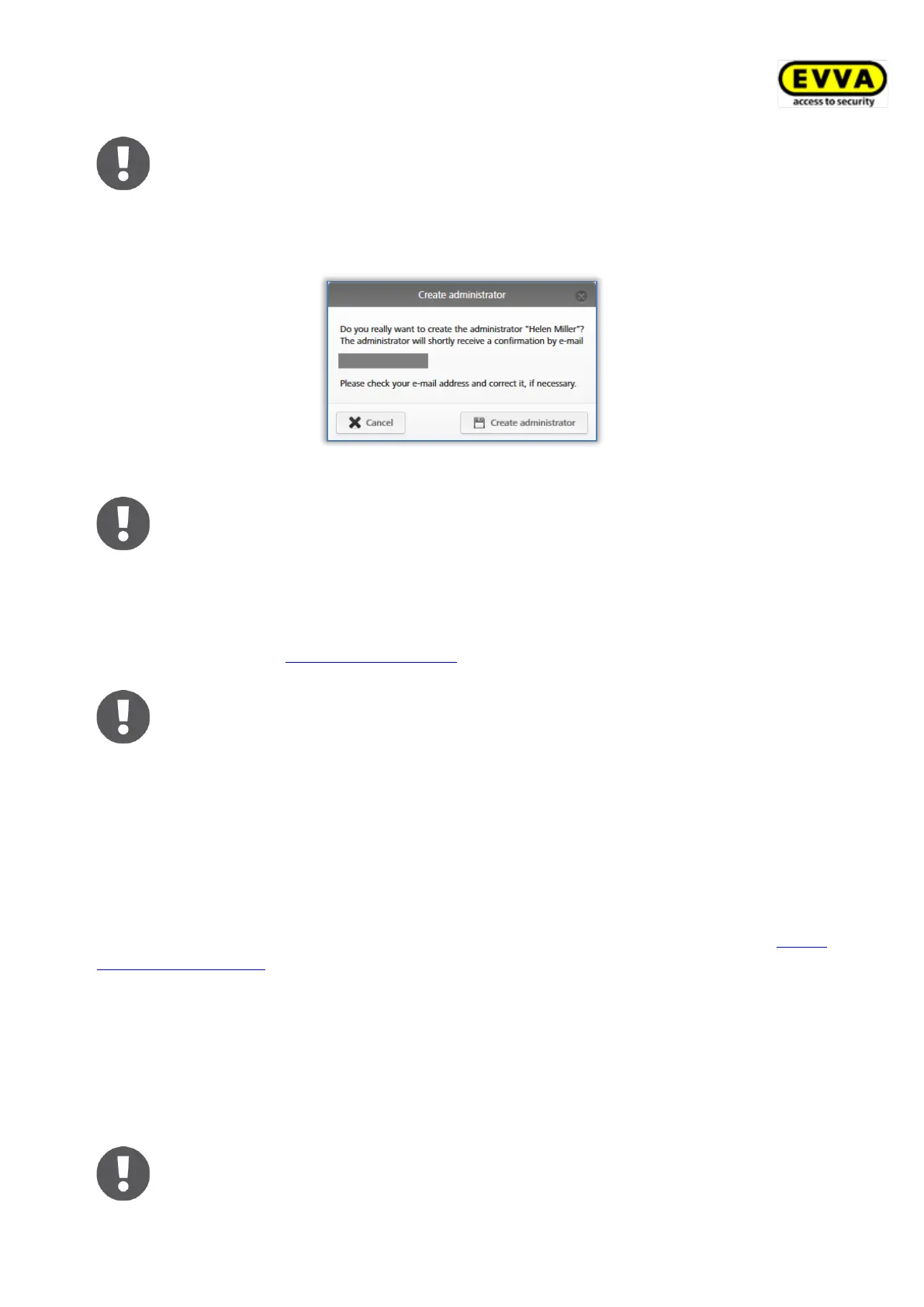
> Click Create administrator to confirm the security prompt and complete the
process.
Figure 103: Creating administrators
The system reports "The administrator has been saved" once you have
created an administrator.
Now the administrator you created receives an e-mail from EVVA AirKey with an activation
link. You can only manage the rights for sub-administrators after creating the
administrator successfully. Details about the rights management of sub-administrators can
be found in the chapter Editing administrators.
The data is deleted and the activation link is rendered invalid, if it is not
activated within 48 hours.
The administrator you created must complete registration as described below:
> Open the e-mail with the subject line "EVVA AirKey registration".
> Click the activation link. The "Welcome to AirKey" website opens.
> Enter your personal password, re-enter the password and specify your date of birth.
> Click Save.
This completes the process to create administrators. The system then opens the AirKey
Online Administration login page for administrators to log in.
5.3.2 Editing administrators
Only system administrators can subsequently change details such as the surname, e-mail
address, telephone number or contact information of an administrator. The role can also be
edited subsequently. However, please note that there must be at least one system
administrator per access control system.
The user ID cannot be changed.


 To Next Page
 Loading...