AirKey system manual version 2.7 |
06/03/2024 | Subject to technical changes and misprints
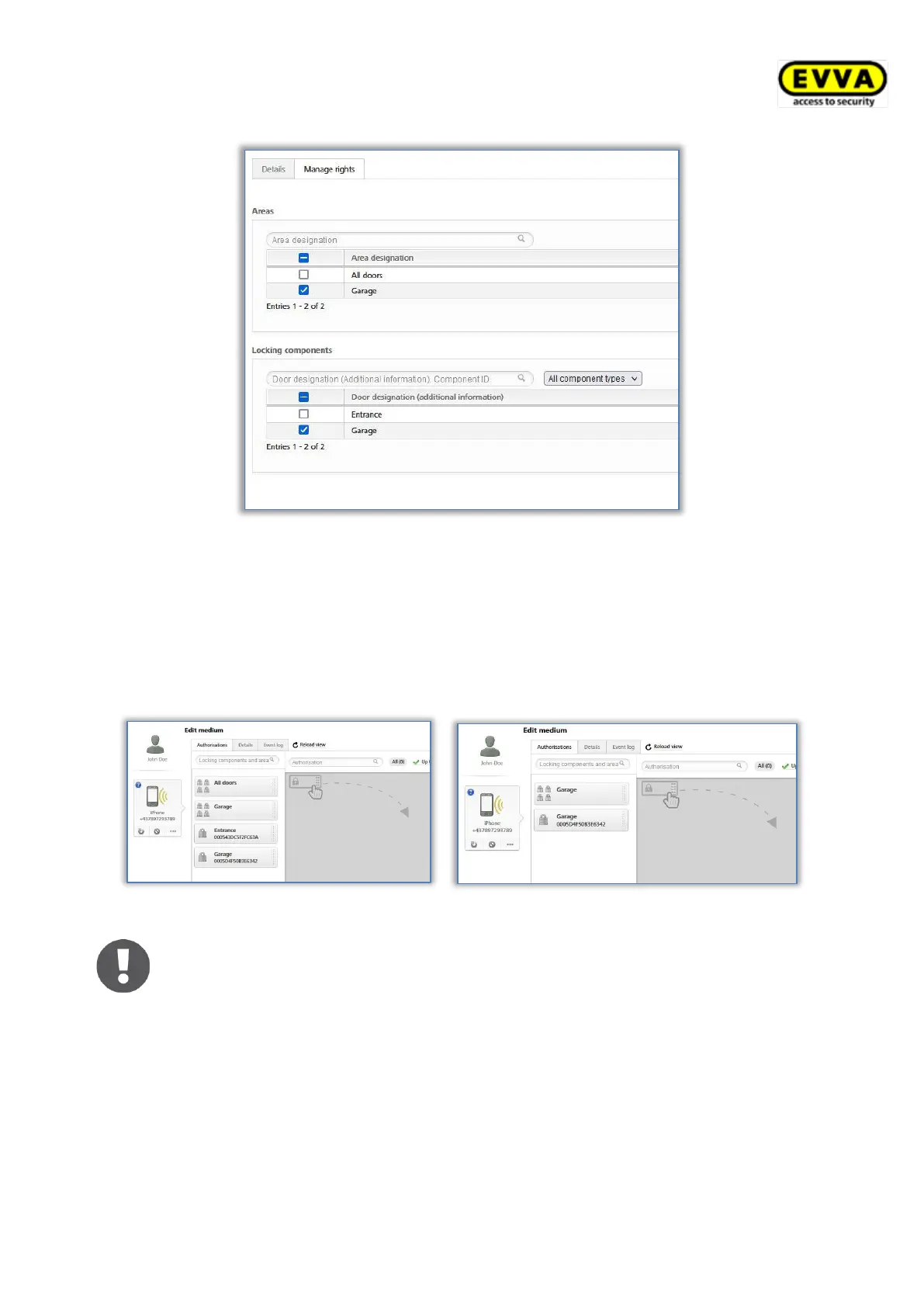
Figure 105: Manage rights of a sub-administrator
> Click on Save.
Areas and locking components for which a sub-administrator does not have rights are not
available to the sub-administrator when assigning authorisations. All areas and locking
components are always available to a system administrator for the assignment of authori-
sations.
Figure 106: Assigning authorisations by a system administrator respectively by a sub-administrator
The rights management for sub-administrators only applies to areas and
locking components. Thus, all persons and media are always displayed to a
sub-administrator.
5.3.3 Deleting administrators
An administrator can be deleted only by a different system administrator.
> In the main menu click Administrators → Administrators.
> Click the corresponding row in the table to select the administrator you would like to
delete. The "Edit administrator" page opens.
> Click Delete .


 To Next Page
 Loading...