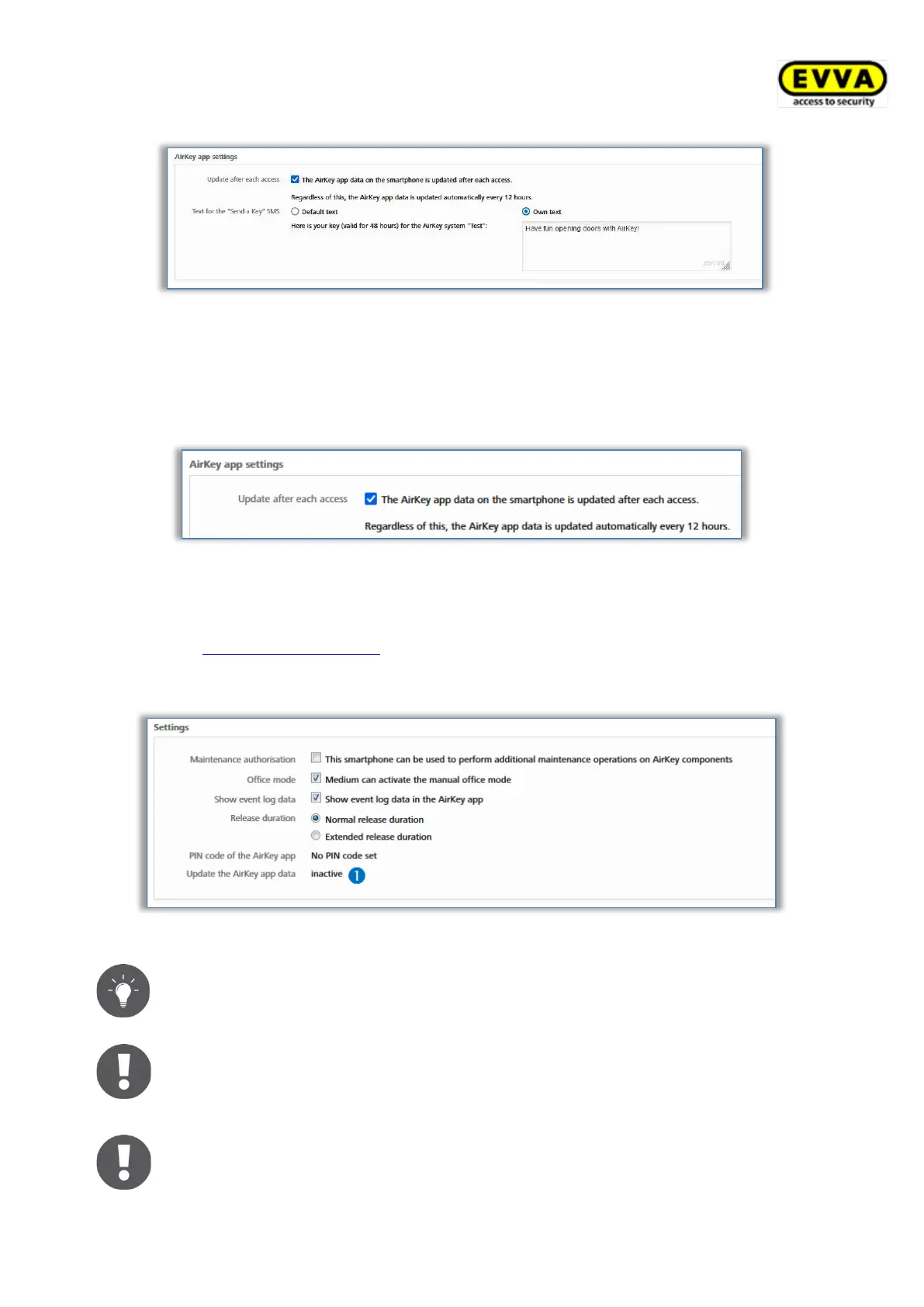
Figure 111: General settings – AirKey app settings
If the Update after each access option is activated, the AirKey app data (e.g. log entries
or the battery status of locking components) will be updated with a smartphone each time
when an access is performed.
> Tick the corresponding checkbox and confirm with Save.
Figure 112: AirKey app settings – update after each access
The functionality is then sent by push notification to all smartphones in this access control
system. At the latest after a manual actualisation of the AirKey app data of the smartphone
(see chapter Updating smartphones), the functionality should be active on the smartphone.
You can find the current status of the smartphone for this function in the AirKey Online
Administration in the details of the smartphone.
Figure 113 Status of the option "Update after each access"
Activate this function to transfer access audit trail entries to the AirKey Online
Administration almost in real time when using smartphones.
Updating the AirKey app data after an access process only transfers the data of
the smartphone that performed the access process. This update is not
displayed visually on the smartphone itself.
A stable internet connection (mobile data or Wi-Fi) is required for this function,
since a further access process can only be executed after the AirKey app data
has been updated.


 To Next Page
 Loading...