AirKey system manual version 2.7 |
06/03/2024 | Subject to technical changes and misprints
Regardless of the option "Update after each access", an attempt is made to
update the AirKey app data automatically every 12 hours.
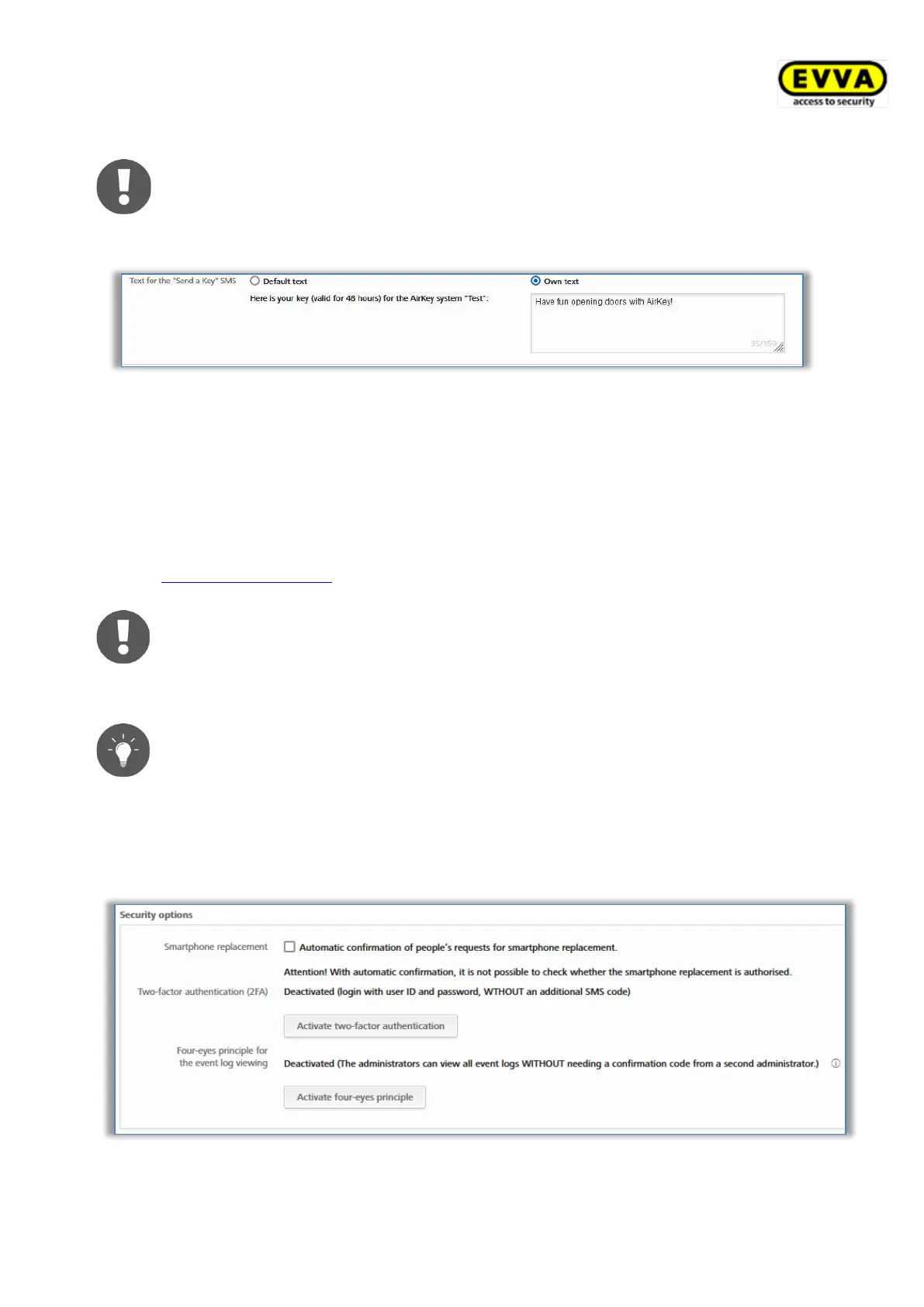
You also have the possibility to configure your own text for the "Send a Key" SMS.
Figure 114: AirKey app settings – text for the "Send a Key" SMS
You can choose between the default text and a self-definable text. Select Default text to
use the predefined text «Here is your key (valid for 48 hours) for the AirKey system "<name
of access control system>"» or select Own text to use a self-definable text in the
corresponding text field. Confirm your selection by clicking Save.
If you use your own text, you can also customize it for each "Send a Key" action, for
example, to use a personalised letter of greeting. Details about "Send a Key" can be found in
chapter "Send a Key" function.
The own text is limited to 150 digits. In addition the own text will not be
translated in other languages if some persons have another correspondence
language. Instead, the standard text is automatically translated into the
person’s correspondence language.
Use a self-defined text to address the smartphone owners personally and to
inform them for which access control system they will receive authori-
sations.
Security options
In the security options, you can configure the Smartphone replacement, Two-factor
authentication (2FA), and Four-eyes principle for event log viewing functions.
Figure 115: General settings – security options


 To Next Page
 Loading...