Access
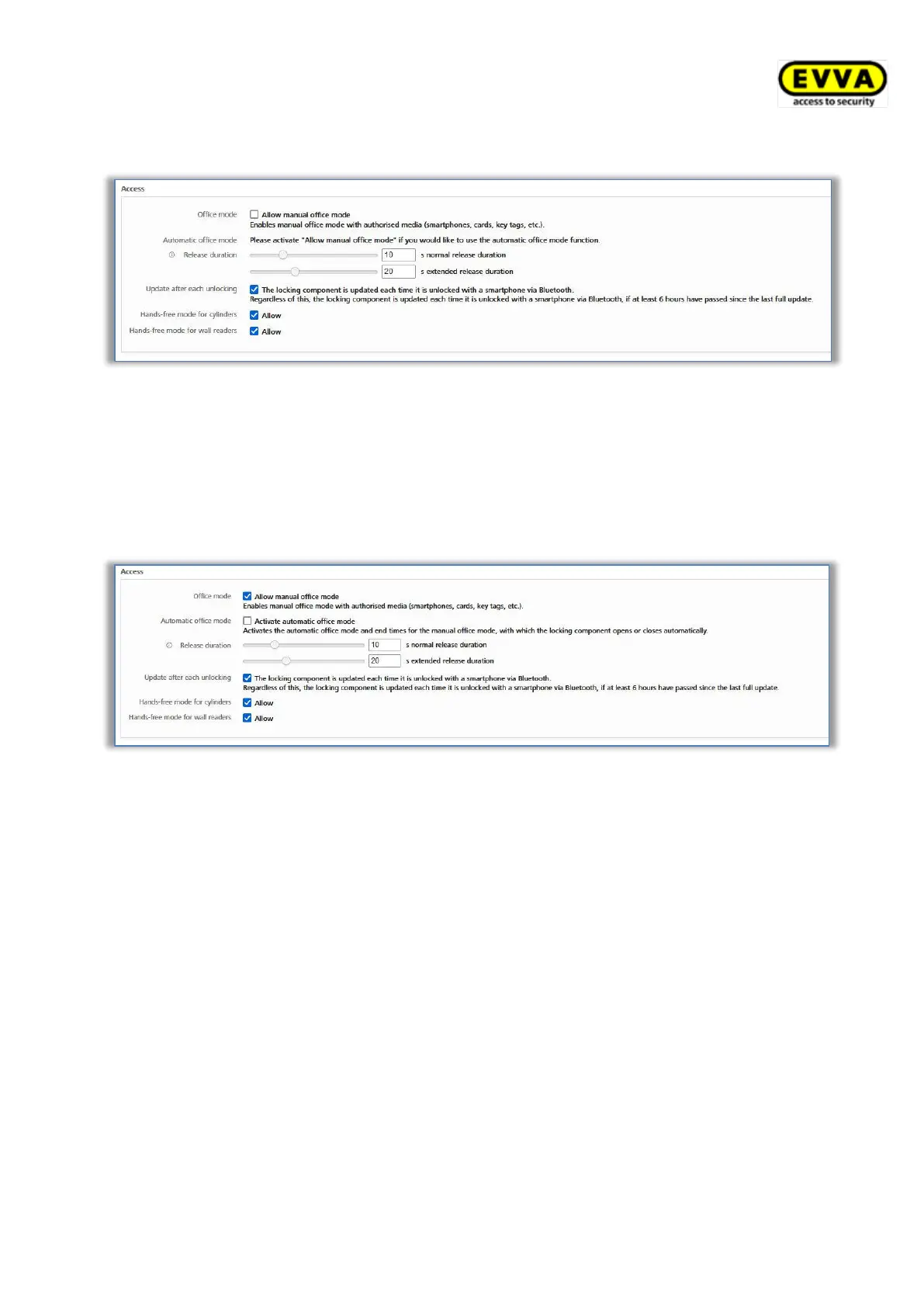
Figure 126: Default values – access
Here you can allow the manual and automatic office mode, the release duration, the update
after each unlocking and the Hands-free mode for cylinders and wall readers for all newly
added locking components.
Tick the Allow manual office mode checkbox to display an additional checkbox: Activate
automatic office mode.
Figure 127: Automatic office mode
Automatic office mode permits the specification of periods and unlocking times when the
locking component locks or unlocks automatically. For instance, specify that office mode
automatically ends each night at 5 pm in an office building. For AirKey cylinders this not only
means the door has been locked, but also that the cylinder has been disengaged. Use an
authorised medium to engage and subsequently manually unlock a cylinder to open the
door.
You can also specify an end time for manual office mode in this dialogue window. This
makes sure that office mode is deactivated at this specific time (red bars in the screenshot
below), regardless of when it had been activated. You can specify a maximum of 4 entries
(periods of time or end time).
Office mode is automatically cancelled, or not started, on holidays, in the event of "battery
empty" warnings if the locking component time is incorrect and also during firmware
updates.


 To Next Page
 Loading...