Click the Save button to save changed default values. For this purpose, a prompt appears
asking to specify whether the changed default values must exclusively apply to recently
added or all locking components.
Figure 131: Save changed specification values?
5.4.3 Holidays
Define up to 80 holidays per year in the Holidays tab (current year and two following
years). In AirKey the term "holiday" can be interpreted as a general bank holiday or a period
of several days, such as company holidays or school holidays (may reoccur). For instance,
specify that a national, public holiday falling on the same date each year is re-entered each
year. One week of school holidays merely counts as one holiday in the system if the period
was defined with between "Start – End".
Effects of the holiday calendar:
1. Periodic access authorisations are not valid on holidays.
2. Automatic office mode is ignored on holidays.
Click the Activate button on the right-hand side to globally enable the holiday calendar.
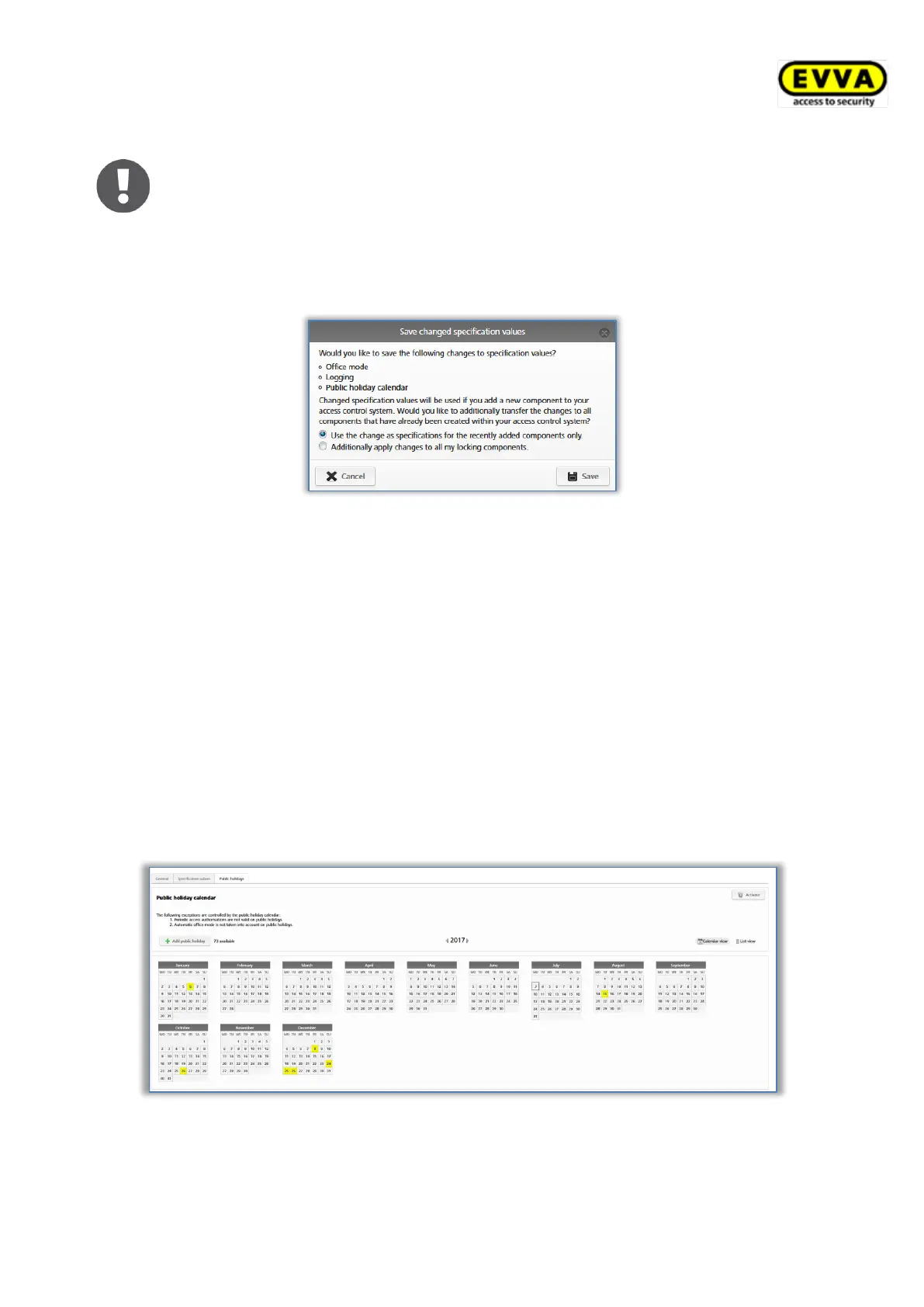
Figure 132: Holiday calendar (calendar view)
Click the Add holiday button or click the exact date of the holiday in the calendar view
(e.g. 24/12) to open a dialogue window to enter the name of the holiday, specify whether
the holiday applies for the entire day or, e.g. the afternoon only, and between which


 To Next Page
 Loading...