AirKey system manual version 2.7 |
06/03/2024 | Subject to technical changes and misprints
The blacklist, the time zone and the time are always updated after a
Bluetooth unlocking and the log entries are only updated if the Update
after each unlocking option is activated for the locking component.
If the locking component has other pending maintenance tasks, these must
be updated as described in the chapter Updating locking components.
The function depends on the connection quality of the smartphone.
Therefore, make sure that you have a stable Internet connection starting
with 3G or via Wi-Fi.
The update after a Bluetooth unlocking will also be performed when starting
the manual office mode, but not when it is ending.
The update after a Bluetooth unlocking takes place within the release
duration of the locking component. If the release duration is less than
10 seconds, the update after a Bluetooth unlocking may not work. For this
reason, when the function is activated, the value of the normal release
duration is automatically set to 10 seconds.
Activating this function increases the battery consumption of battery-
powered locking components, such as an AirKey cylinder, and thus affects
battery life.
The options Hands-free mode for cylinders and Hands-free mode for wall readers are
used to allow or not allow the Hands-free mode for all components of the selected
component type within the access control system. In addition, it is also possible to select the
option for each locking component itself. Details about the changing the configuration for
individual locking components can be found in chapter Editing locking components.
Logging
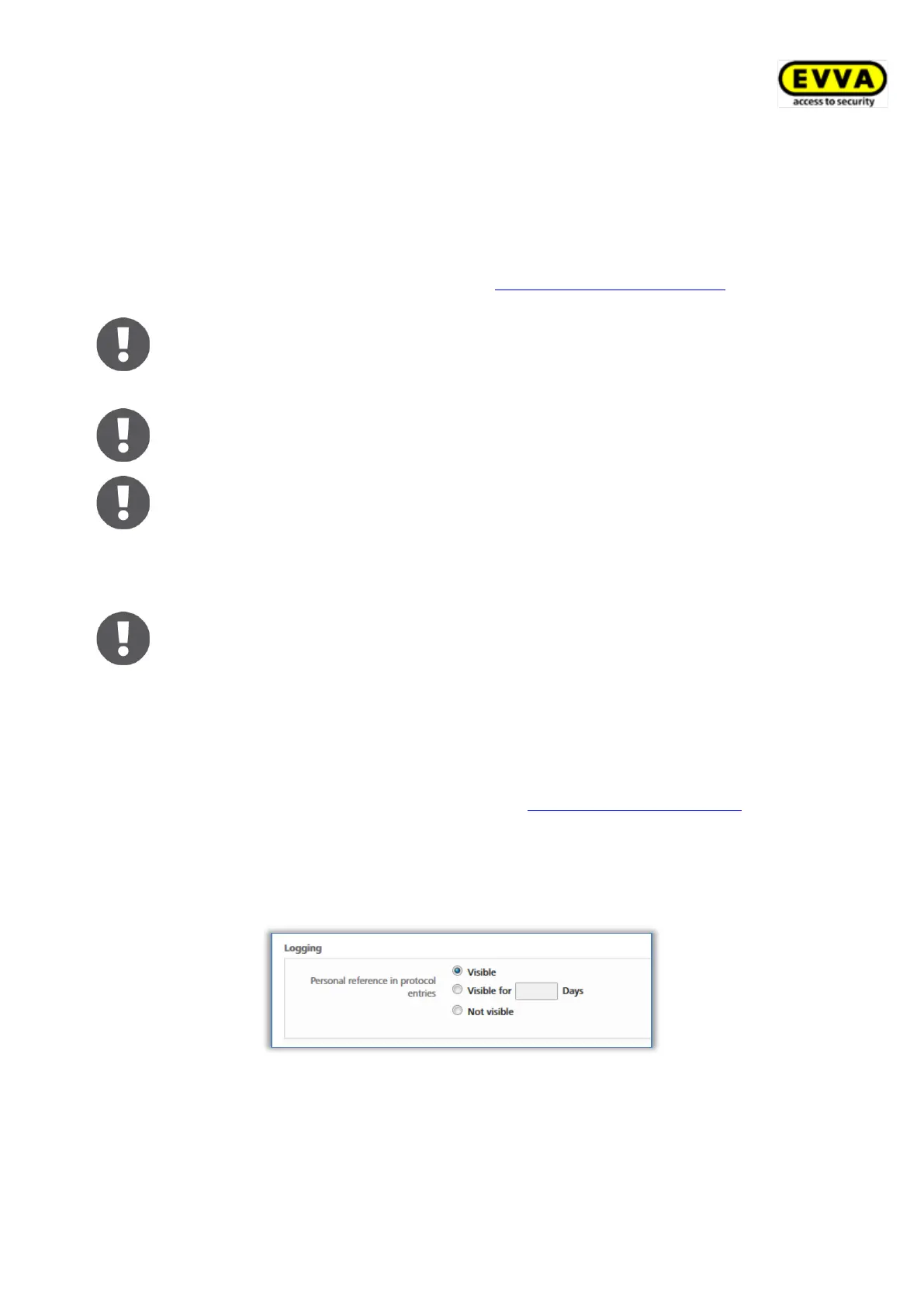
Select the default value for the logging of personal data in event log entries within the
context of access events. Three radio buttons are available for this purpose:
Figure 130: Defining logging / event logs
• Visible permanently switches on the displaying of personal data for access events.
• Visible for ... days renders personal data for access events anonymous after the
defined number of days.
• Not visible immediately renders all personal data for access events anonymous.


 To Next Page
 Loading...