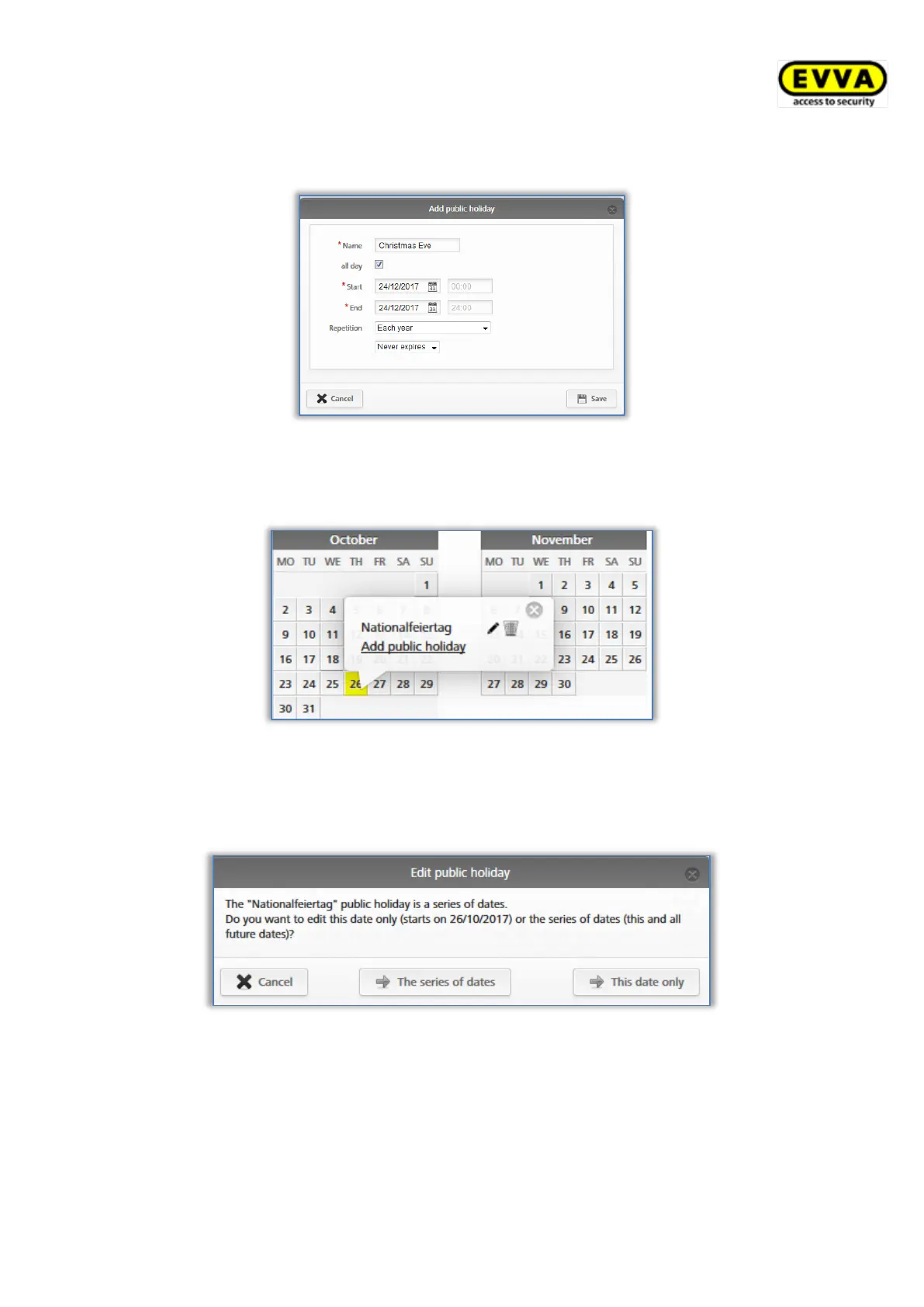
periods the holiday applies (e.g. also specify company holidays here), define how many
times it reoccurs and when the specification no longer applies.
Figure 133: Adding holidays
You can retrospectively edit each entered holiday. For this purpose, simply click the corres-
ponding day to open a text box.
Figure 134: Adding holidays in the calendar
Click the Add holiday link to add a further holiday on this day. You can enter several holi-
days on one calendar day. Click the pen icon to edit the holiday. Click the bin to delete the
holiday.
Figure 135: Editing holidays


 To Next Page
 Loading...