AirKey system manual version 2.7 |
06/03/2024 | Subject to technical changes and misprints
After having updated, persons with media featuring authorisations for this
area will be unable to unlock the locking component for which you cancelled
the assignment.
Alternatively, you can also directly edit the area assignments of locking
components in the locking component details. Please refer to Editing locking
components for more information.
5.5.9 Deleting area
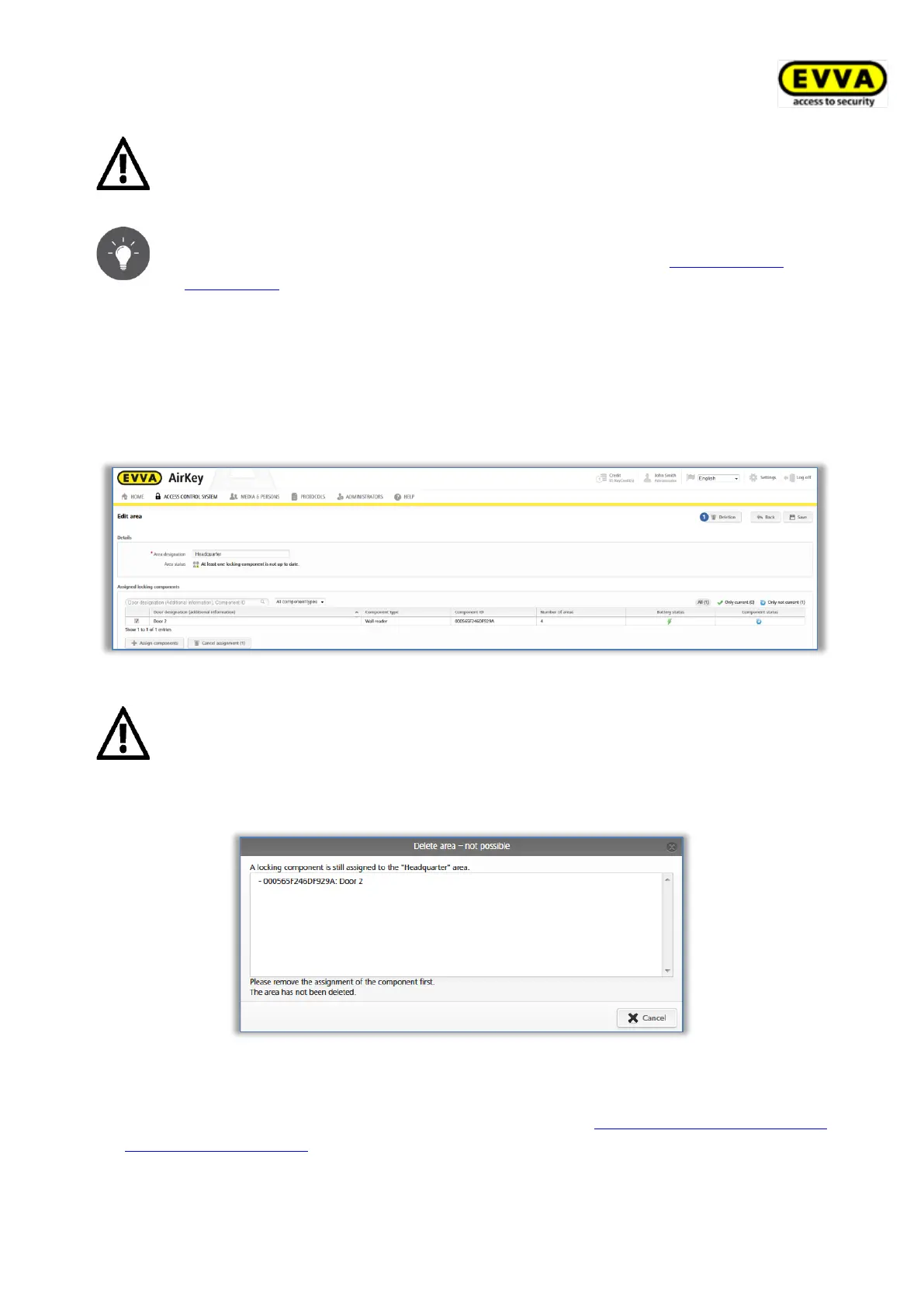
> On the Home screen select the Areas tile or click Access control system → Areas
in the main menu.
> Select the area you would like to delete from the list.
> Click Delete .
Figure 154: Deleting areas
Any existing authorisations on media for a deleted area are automatically
deleted and no longer shown. Deletion is irrevocable.
An error message appears if locking components are still assigned to the/this area.
Figure 155: Deleting areas – not possible
For this reason, initially cancel all locking component assignments to the area and
subsequently repeat the illustrated process. Please refer to Cancelling locking component
assignments to an area for more information on assigning locking components to areas.


 To Next Page
 Loading...