AirKey system manual version 2.7 |
06/03/2024 | Subject to technical changes and misprints
5.5.10 Authorisation overview
The authorisation overview shows all authorisations of media for each individual locking
component. The authorisation overview relates to the selected locking component.
All media with authorisations for this locking component are listed.
However, the authorisations displayed must not necessarily be currently
valid, i.e. media with temporary, single access between 8 am and 5 pm will
also be displayed for locking components after 5 pm in the authorisation
overview.
> On the Home screen, select the Cylinders or Wall readers tile or click Access
control system → Locking components.
> Select the locking component for which you would like to view the authorisation
overview from the list.
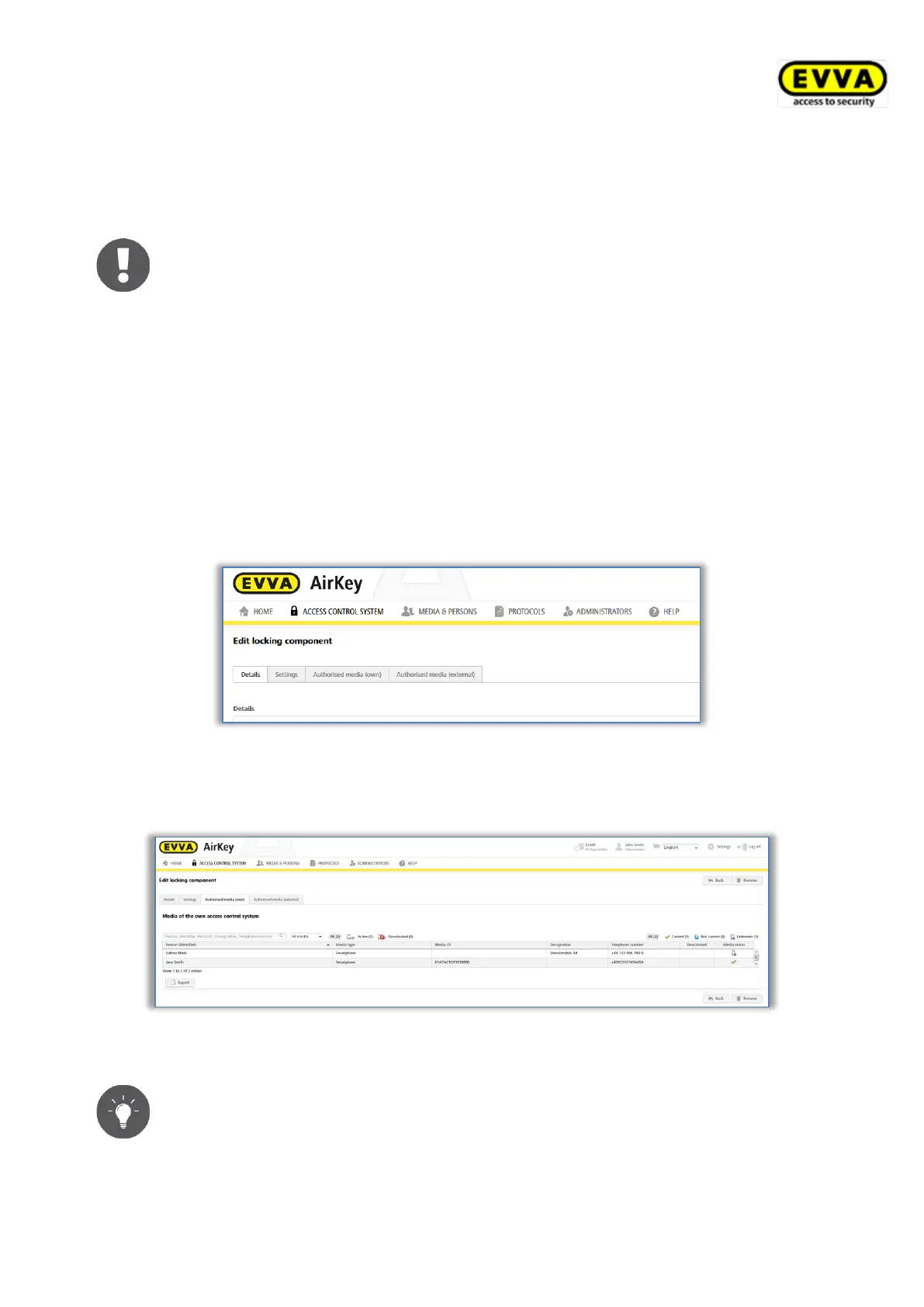
> Browse from the Details tab to Authorised media (own) to view the authorisations
of your own system or select Authorised media (external) to view authorisations
from other systems for which the locking component has been authorised.
Figure 156: "Editing locking components" page tabs
You are provided with a list of all persons as well as the associated persons. You can also
view the media type.
Figure 157: Authorised media (own)
You can search, filter or sort this list to view certain authorisations.
Click a person’s name to directly view this person’s authorisation for the
medium.


 To Next Page
 Loading...