XIBCxPKP
Programming Key | PK
Operation
Commissioning the e-primo cylinder
The e-primo cylinder is not programmed to media when
delivered.
Assigning media
Assigning the programming key
l
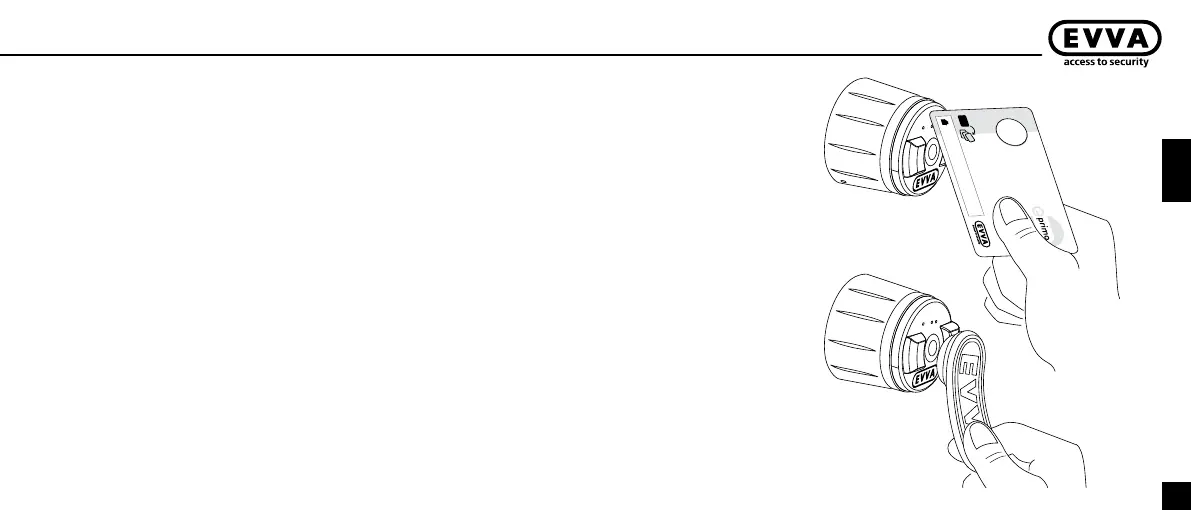
Hold the programming key briey at the reader.
Ü
A sequence of high-pitch tones will be emitted, the light
ring blinks green. The e-primo cylinder now recognises
this medium as its programming key.
Notice: Please note that it may not be possible to
open the door again after it is closed because the
outside thumb turn will rotate passively, i.e. without
engaging. The e-primo cylinder can only be operated
after assignment of a programming key and a user
key.
Assignment of user keys; programming mode
1 First hold the programming key briey at the reader.
Ü
A sequence of low and high tones will be emitted, the
light ring blinks orange then green. The e-primo cylinder
is now in its programming mode for 7 seconds.
2 Hold the user key you want to train into the e-primo
cylinder briey at the reader within 7 seconds.
Ü
An ascending sequence of tones will be emitted, the
light ring illuminates orange then green. The e-primo
cylinder now recognises this user key as valid for locking
and unlocking the e-primo cylinder.
You can also assign several user keys, one after the other,
by holding each of them at the reader within 7 seconds.
3 Terminate programming mode by holding the program-
ming key briey at the reader or waiting for programming
mode to terminate automatically.
Ü
A descending sequence of tones will be emitted, the
light ring illuminates orange then red.
2
1



 To Next Page