Need help?
Do you have a question about the EWC Controls ULTRA-ZONE ULTRA-TALK UT-3000 and is the answer not in the manual?
 General
| Zones Supported | 3 Zones |
|---|---|
| Power Supply | 24VAC |
| Input Voltage | 24VAC |
| Number of Zones | 3 |
| Operating Temperature | 32°F |
| Humidity Range | 5% to 95% non-condensing |
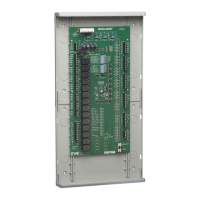
Controls 2-3 zones with 24Vac power open/close or spring assisted motorized dampers.
The liquid crystal display rotates to show each zone's demand.
Buttons below the LCD screen navigate the menu and make selections for programming.
LEDs provide visual indication of HVAC status and damper operation.
Pre-programmed settings and fine-tuning capabilities for optimal system performance.
The control board includes a SPDT IAQ dry relay for interlocking ancillary devices.
Outlines different system configurations based on thermostat types used with UT-3000.
Guidance on selecting a suitable location to mount the UT-3000 housing.
Recommendations for installing a separate transformer to power the UT-3000.
Explains terminal block designations and functions for wiring dampers.
Details on connecting multiple dampers to a single terminal block on the UT-3000.
Guidance on thermostat wiring, especially when the outdoor unit has a transformer.
Steps for programming when connected to a fully communicating HVAC system (plug and play).
Steps for programming a conventional 24v HVAC system using the LCD menu.
Explains how the UT-3000 starts HVAC based on zone demand and weighting.
Illustrates the system cool staging scale and capacity percentages for a 4-ton system.
Explains how the LCD screen scrolls and displays data screens continuously.
Displays the system output percentage (SYS) to the HVAC equipment.
How to lock or pause the LCD on a single screen using program buttons.
Shows the supply air temperature at the location of the supply air sensor in real time.
Displays the real-time outside air temperature from the outside air sensor.
Guidance on setting bias and termination switches, and ensuring zone controller switches are off.
LCD/LEDs not responding, HVAC malfunctioning, thermostat fault messages.
HVAC system functions normally, but dampers do not respond.
Procedure to test power at terminals R and C on UT-3000 to check transformer voltage.

 To Next Page