Need help?
Do you have a question about the Excel Yoga and is the answer not in the manual?
Information regarding the authorized dealer for the scooter.
The date on which your scooter was manufactured.
The unique identification number required for technical requests or warranty.
The largest occupant weight allowed for the protection of the scooter and user.
Indicates which model of scooter you have, required for technical requests.
The model name of the scooter.
Here, the intended use of the scooter is shown.
Here, the guarantee period of your scooter is shown.
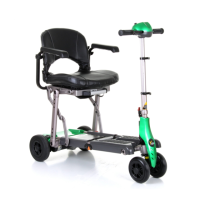
Identifies and explains the various parts and elements of the Excel Yoga scooter.
Explains the electric motor, automatic braking, and electronic control software.
Important checks for safe and sustainable use of the Excel Yoga scooter.
Critical safety instructions for operating the scooter, covering initial points.
Further critical safety instructions for operating the scooter, including driving and environmental conditions.
Instructions for safely entering and exiting the Excel Yoga scooter.
Practice for controlling forward, reverse movement, and stopping the scooter.
Practice moving forward, making S turns, and moving in reverse.
Guidelines for cleaning and disinfecting the scooter using appropriate materials.
Explanation of Power Switch, Speed Control, Forward/Reverse lever, and Battery Gauge.
Explanation of the Power Eye indicator light and its flashing patterns.
Details on how the brakes, throttle control lever, and parking brake function.
Key technical specifications of the Excel Yoga scooter, such as dimensions and weight.
Description of how the backrest folds forward for ease of folding or storage.
Instructions on how to adjust the armrest angle using the adjustable bolt.
Procedure to adjust the armrest width by loosening and tightening a set screw.
Warning about potential injury when adjusting the tiller angle.
Steps 1-3 for folding: Release Tiller clamps, retract Tiller, and fold Backrest.
Steps 4-6 for folding: Seat unlock, frame retraction, and locking.
Steps 1-2 for unfolding: Release Tiller clamps and unlock folded frame.
Steps 3-5 for unfolding: Pushing scooter, locking seat, and unfolding backrest.
Steps 6-7 for unfolding: Extend and adjust Tiller angle.
Instructions for charging the scooter's battery, including indicator lights.
Procedure for safely removing the battery pack from the scooter.
Steps for installing the battery pack, aligning electrodes.
Warning: Do not place metal objects over battery terminals.
Steps for locking the battery pack and verifying correct installation.
Meaning of different light codes and initial troubleshooting steps.
Warning that attempting self-repair voids the scooter's warranty.
Details on the factory warranty period, coverage, and limitations for the Excel Yoga scooter.
Information on how to apply for warranty service, required documents, and carry-in policy.
Tip recommending the use of Excel replacement parts to maintain warranty validity.
Disclaimer on liability for damages and conditions that void the warranty.

 To Next Page
 General