Need help?
Do you have a question about the Excell TWH4 Series and is the answer not in the manual?
Guidelines for proper battery maintenance, charging, and handling to ensure longevity and safety.
Critical safety information regarding battery hazards like electrolyte, hydrogen gas, and potential explosion risks.
Highlights key technical specifications and capabilities of the weighing scale, including A/D converter and calibration methods.
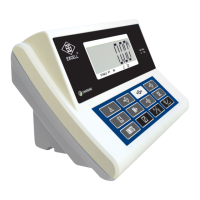
Explains the various indicators, symbols, and units displayed on the scale's screen for user interpretation.
Details the specific functions assigned to each button on the scale's keypad for operation and settings.
Covers power sources, consumption, low power warnings, and a list of common error messages with their meanings.
Describes how to select and manage the display backlight modes: Auto, On, and Off.
Comprehensive guide to weighing functions including unit selection, check weighing, totalizing, zeroing, and taring.
Instructions for using the counting mode, including sampling, check weighing, and totalizing within this function.
Detailed steps for setting High Limit, Low Limit, and Beeper values for check weighing operations.
Configuration of serial communication parameters like transmission mode and baud rate for RS-232 output.
Procedure to exit the current function setting mode and return to normal operation.
Accessing and displaying internal operational values of the scale for diagnostic purposes.
Configuration options for various hold functions, including Peak, Stable, and Animal Scale Hold.
Steps to assign a unique ID code to the machine for RS-232 data transmission.
Customizing the behavior of the print key for different printing scenarios and totalization options.
 General
| Power | 2 x AAA Batteries |
|---|---|
| Auto Power Off | Yes |
| Overload Indicator | Yes |
| Low Battery Indicator | Yes |
| Tare Function | Yes |
| Unit Conversion | Yes |
| Readability | 0.1 g |
| Platform Size | 120 x 120 mm |
| Display | LCD |
| Units | g, oz |


 To Next Page