Maintenance
OTAU-9150 55
Upgrading the Firmware
To upgrade the firmware manually:
1. Ensure that your unit has access to the Internet.
2. Connect to your unit, either locally or remotely. For more information,
see Accessing Your Unit Locally on page 50 or Accessing Your Unit
Remotely on page 51.
3. When the application prompts you, enter your connection information.
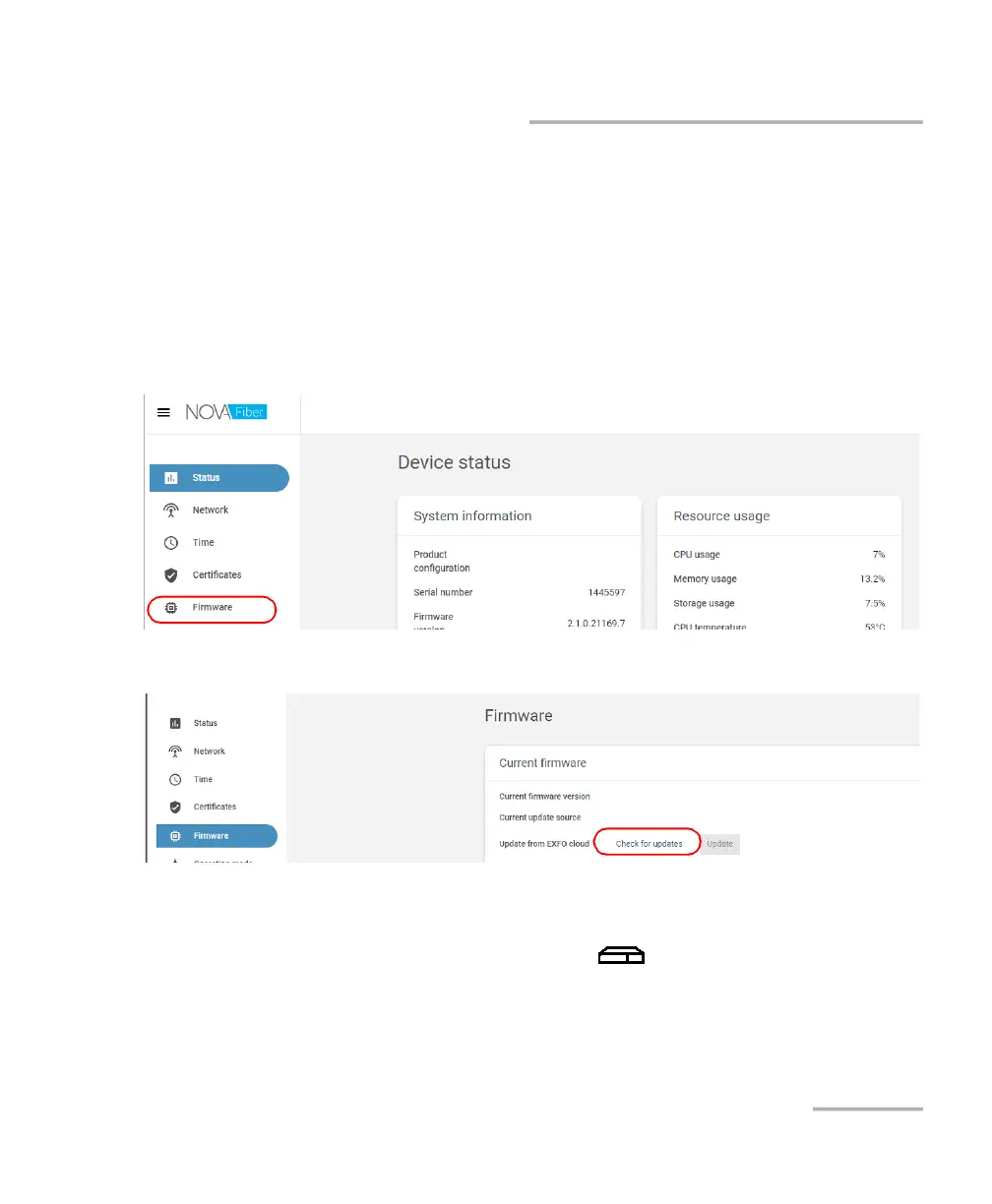
4. From the list, select Firmware.
5. Click Check for updates.
6. If there are updates available, click the Update button to start the
process. The unit will restart automatically at the end.
7. Wait for your unit to be ready (its (System) LED will be steady
green), and then connect again to the Web application.
Note: The update operation may take a few minutes to complete.



 To Next Page