Maintenance
OTAU-9150 57
Updating Your Unit With Local Firmware
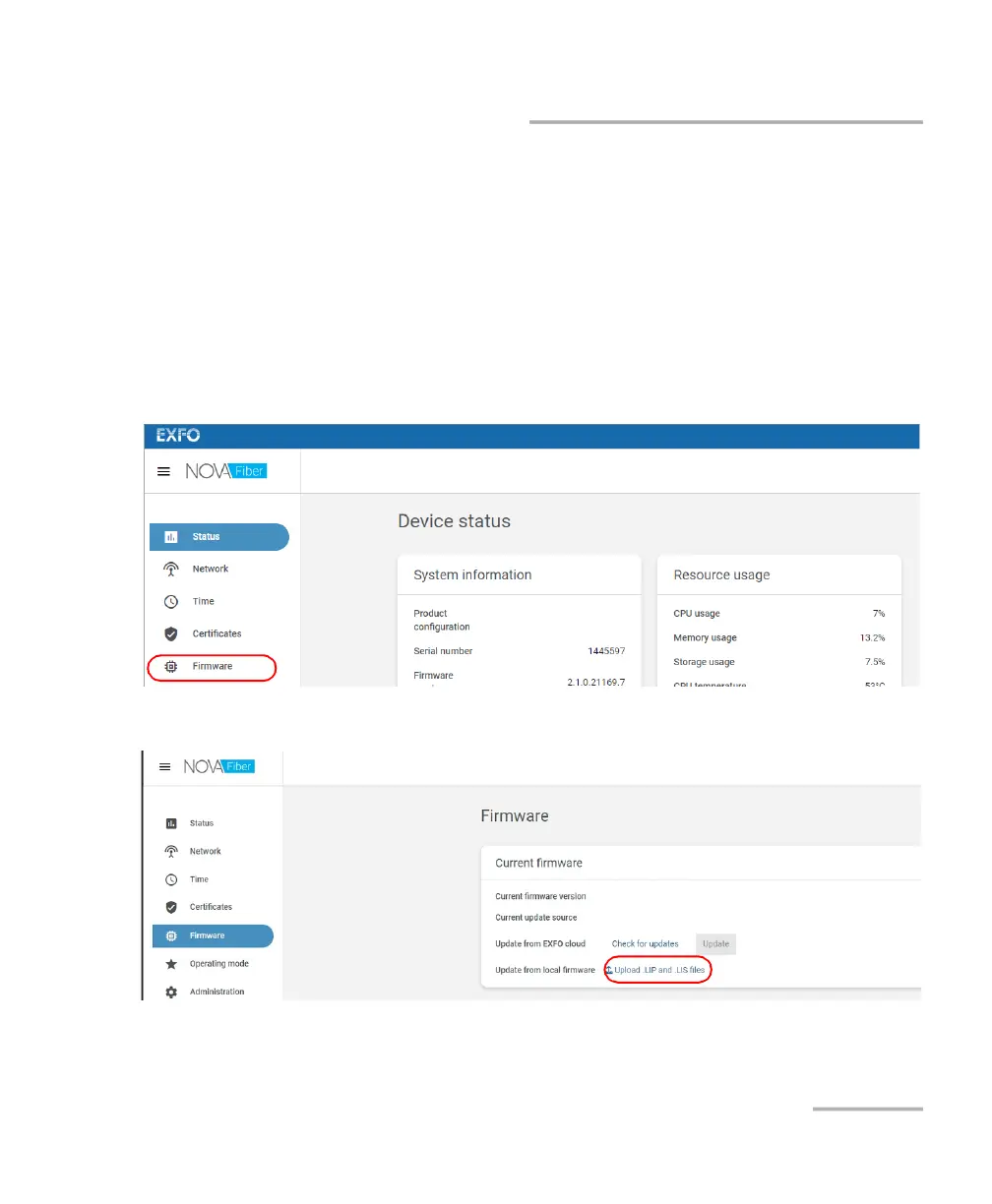
To update your unit with local firmware:
1. Retrieve both the .LIP and .LIS files provided by EXFO to a folder of
your choice on your computer (or to a USB key).
2. Connect to your unit, either locally or remotely. For more information,
see Accessing Your Unit Locally on page 50 or Accessing Your Unit
Remotely on page 51.
3. When the application prompts you, enter your connection information.
4. From the list, select Firmware.
5. Click Upload .LIP and .LIS files.



 To Next Page