5
English
Operating instructions
Select mode
Press [ DAB/FM ] to toggle between DAB and FM mode.
Volume adjustment
Press [ VOLUME/SELECT ] to raise and lower thevolume.
Note: Theradio always starts on thesame volume. Thesetting cannot be changed.
Listening to the DAB radio
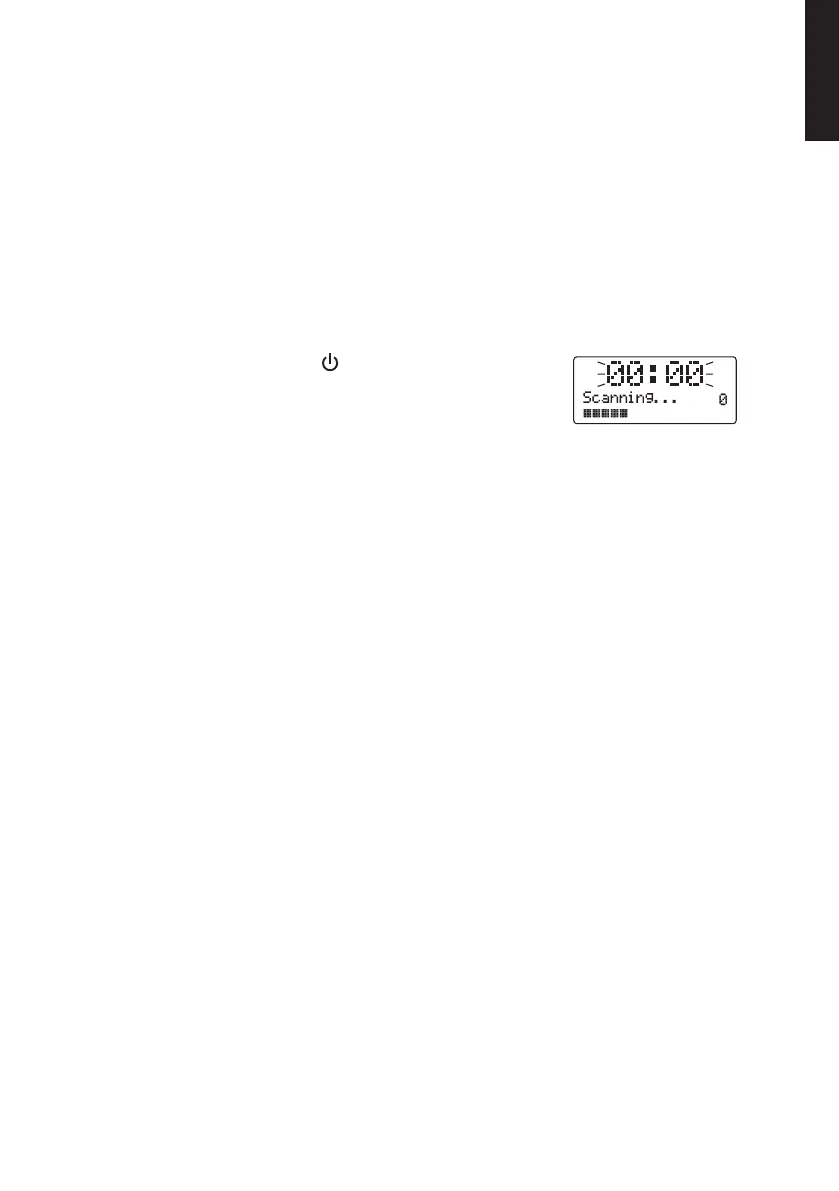
Turn theradio on by pressing [ ]. Theradio will begin
scanning automatically for DAB stations. Whilst theradio
is scanning, “Scanning…” will appear on thedisplay
along with aprogress bar indicator and anumber
showing how many stations have been found.
Once thescan has finished, theradio will select thefirst alphanumerically found
station. Press [ TUNE/ENTER ] and then turn [ VOLUME/SELECT ] to select astation.
Confirm by pressing [ TUNE/ENTER ] again.
Note: If theauto scan does not find any stations, theradio will enter “Tune Select Menu”.
Turn [ VOLUME/SELECT ] to select Manual tune or Full scan. Confirm by pressing
[ TUNE/ENTER ].
DAB mode MENU
1. Press [ MENU ].
2. Turn the [ VOLUME/SELECT ] knob for selecting amongst the Full scan,
Manualtune, Prune or System menus.
3. Press [ TUNE/ENTER ] to select any one of the desired menu options.
Turnthe[ VOLUME/SELECT ] knob to adjust the settings for any of the chosen
menu selections. Confirm by pressing [ TUNE/ENTER ].
• Full scan: Starts a DAB radio station scan.
• Manual tune: Allows for manually tuning DAB stations by turning
the [ VOLUME/SELECT ] knob. Press [ SELECT ] to listen to any selected station.
• Prune: Allows for the deletion of all unavailable stations on the list. Execute
thecommand by choosing No (to cancel) or Yes (to delete).
• The main System menu has three submenus: Time and date (Time), default
factory reset (Factory Reset) or software version info (SW version).


 To Next Page