4
USER GUIDE
(Read through the instructions before use):
1. Read the safety notes and take the stated precautions.
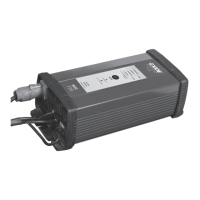
2. Connect the charger’s mains plug to a power socket.
The lamp on the front of the charger will come on.
3. Connect the charger’s red cable clamp to the battery’s positive
terminal post (+), and the black cable clamp to the battery’s
negative terminal post (-). If the charger is correctly connected,
the LED will flash orange for around 3 seconds. If the cables
are incorrectly connected, the LED will change to a constant
red. If that is the case, check the connection and adjust if
accordingly.
4. Charging will begin automatically after 3 seconds, when the
LED will stop flashing and changes to a constant orange. At the
same time, the lamp on the front of the charger will go out.
5. When charging is complete, as indicated by a constant green
light, the charger clamps can either be disconnected from
the battery terminals or remain connected for permanent main-
tenance of charge. If the charger remains connected to the
battery, it will switch to a maintenance charge of 13.7 volts as
long as it is connected to the mains.
6. Charging may be interrupted at any time, by unplugging the
charger’s mains plug from the power socket.
7. Following completion of the charge, unplug the mains, disconnect
the cable clamps from the battery terminals and return the charger
to its original storage box for safe-keeping when not in use.



 To Next Page