7
note the orientation for proper installation, any damages caused
to the SIM socket by improper installation is not warrantiedOn
the outside of your camera there will be a warranty QR code to
scan for product registration. Use the production number as the
serial number. Your camera must be registered within 30 days
of purchase for valid warranty policies. There are no exceptions
as you have to remove the QR sticker to use the camera. You
can also register your camera now by clicking here.
Note: We recommend that you register and activate your
camera at home rather than in the eld if possible.
• Insert 8 AA Lithium batteries into the battery housing
• Insert a new SD card meeting the Exodus Rival
requirements
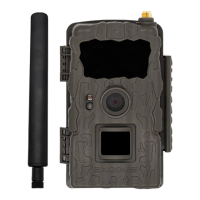
• Screw the antenna on to the camera, making sure the
rubber gasket is in place, and the antenna is hand tight.
DO NOT OVER TIGHTEN
• You can leave the camera powered OFF until registration
and activation is completed
Register and Activate
Mobile APP
Open the Scoutek Mobile App
Click the Register Camera button
Click Scan QR Code
Scan the QR Code sticker inside the Rival housing
SETTING UP YOUR EXODUS RIVAL


 To Next Page