6
MANUGENESMARTxx - Version 2.01
© 2018 EXOR International S.p.A. - Subject to change without notice
1 Product Overview
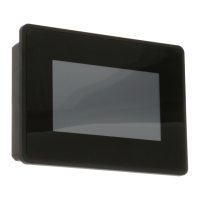
The EXOR eSMART HMI products combine state-of-the-art features and top performance with an oustanding
design. They have been designed to offer an outstanding price/performance ratio for challenging applications.
They are the ideal choice for HMI applications including factory and building automation.
The eSMART HMI products have been designed to run the JMobile software.
• Compatible with JMobileStudio.
• Full vector graphic support. Native support of SVG graphic objects, trasparency and alpha blending.
• Screen object dynamics: control visibility and transparency, move, resize, rotate any object on screen. Change
properties of basic and complex objects.
• Multilanguage applications with TrueType fonts. Easily create, install and maintain applications in multiple
languages to meet global requirements.
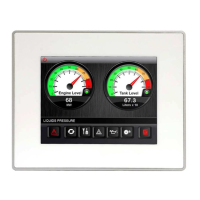
• Data display in numerical, text, bargraph, analog gauges and graphic image formats.
• Rich set of state-of-the-art HMI features: data acquisition and logging, trend presentation, alarm handling,
scheduler and timed actions (daily and weekly schedulers, exception dates), recipes, security and user ma-
nagement, email and RSS feeds.
• Wide selection of communication drivers available with multiple-driver communication capability.
• Remote monitoring and control with Client-Server functionality.
• On-line and Off-line simulation with JMobile Studio.
• Powerful scripting language for automating HMI applications. Efcient script debugger improves productivity
in application development.
• Rich gallery of vector symbols and objects.



 To Next Page
 Loading...