EN
IT
DE
FR
ES
GETTING STARTED
POWER SUPPLY
1. Insert the Micro USB Charging cable (included)
to the DC 5V input port located at the rear of the
unit. Insert the other end into a suitably rated
wall outlet.
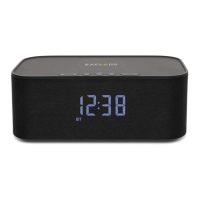
2. Push the Power switch to the ON position to
turn on the device. The time will be displayed.
3. Press and hold the [ ] to enter or exit standby
status.
NOTE: To turn off the device and the screen, push
the Power switch to OFF position.
INTERNAL BATTERY
The speaker contains 2 sets of 2200mAh batteries
in the speaker. When fully charged, the speaker
can operate without a power supply and become
portable.
NOTE: The charge time is around 3 hours.
PLAYING MUSIC
PAIRING / DISCONNECTING VIA BLUETOOH
1. Place your device nearby. Press the [ ] till
the [ ] flashes.
2. Search for Bluetooth according to your device’s
instructions.
3.The speaker is named “BCC1001”, enter the
PIN “0000” if needed.
4. The speaker will beep when complete pairing.
The [ ] stays on.
NOTE: To disconnect the Bluetooth, press and
hold [ ].
AUX
1. Plug the 3.5mm audio cable into the audio input
connector and automatically switch from
Bluetooth mode to AUX mode. To switch the
mode manually, press [ ] to switch between
AUX and Bluetooth mode.
2. Unplug the 3.5mm audio cable from AUX and
the speaker returns to Bluetooth status auto-
matically.
BRIGHTNESS ADJUSTMENT
1.Press [ ] once, all icons will flash.
2.To set the brightness of display, short press
[ ] or [ ].
3.Wait for 3 seconds. The brightness you set
would be saved automatically and exit bright-
ness setting.
CLOCK
SET AUTOMATICALLY
The time will be automatically adjusted by the
Bluetooth connection of an iPhone.
NOTE: Not applicable to Android phone.
SET THE CLOCK MANUALLY
1. Press [ ] twice to enter time setting mode.
2. The setting parameter will flash.
3. Press and hold [ ] button to confirm setting
and enter to next parameter.
4. Press [ ] or [ ] to set the required data.
5. Sequence of setting: Hour -> Minute ->
24Hr/12Hr
6. If there is no action in 3 seconds, the setting
will be saved and will exit the setting mode.
5
WIRELESS CHARGING
1. Place the equipment to be charged on the top
circle of the stereo.
2. Device will now start charging.
NOTE: Please make sure your device supports
wireless charging.
USB CHARGING
1. To charge a device, connect with a USB charging
cable to this USB charging port [ ] at the
rear.
2. Device will now start charging.
NOTE: When using the wireless charging and USB
charging at the same time, USB charging would be
disabled for the purpose of keeping the maximum
output capacity within safe level.


 To Next Page