10
2. During the alarm, press the [ ] button to delay
the alarm by 8 minutes.
3. If you do not press any button to stop the alarm, it
will automatically turn off after 5 minutes.
4. To stop the alarm, press the [ ] or any other button.
5. The alarm will start again at the next alarm time,
unless you switch off the alarm function by pressing
the [ ] button.
PROJECTION
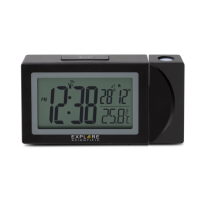
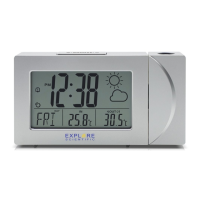
The projector displays the time on your ceiling or wall
and it can rotate 180°. It is easier to view in a darkened
room. For the optimal projection results, place the unit
within 1.5 - 2 m (5-6.5 ft) from the ceiling or wall.
1. Press [ ] button to activate the backlight and
projection for 5 seconds.
2. Press and hold [ ] button, ip the projection
display 180°.
3. Press and hold [ ] button, toggle continues
projection on in case of using adapter power
source and toggle projection on for 5 minutes in
case of using batteries power only. Press and hold
[ ] button again, turn off projection and
toggle continues projection off.
SPECIFICATIONS
Dimensions (Main unit):
100 x 25 x 75 mm (L x W x H)
Weight (Main unit):
97 g (Exclude batteries)
Temperature display range:
-10 °C to +50 °C (14 °F to 122 °F)
Power:
2x AAA (LR03) 1.5V batteries
Power adapter 3.6V
NOTE
• When the temperature is lower than -10°C (14°F),
the temperature displays LL.L. When the temperature
is higher than 50°C (122°F), the temperature displays
HH.H.



 To Next Page