8
NOTE: When using a power adapter, please increase the
separation of the main unit and the power adapter to
avoid interference of RCC signal receiving.
SET THE CLOCK MANUALLY
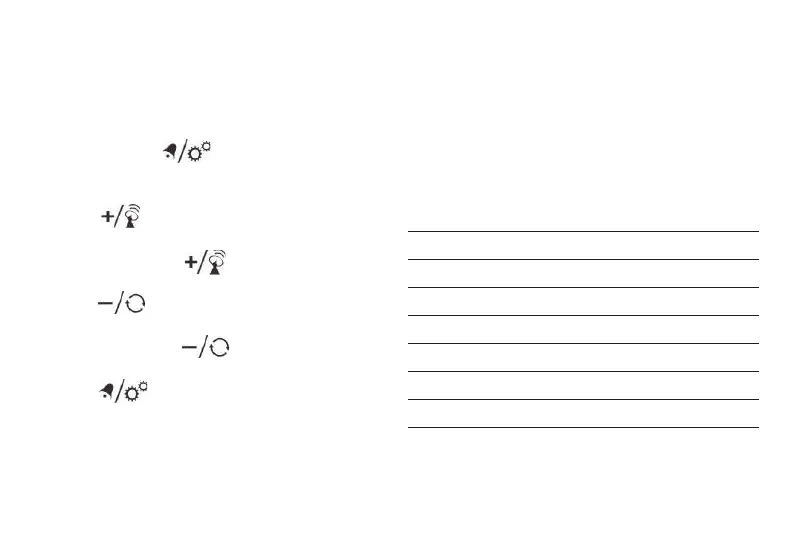
1. Press and hold [ ] button to enter time and
date setting.
2. The setting parameter will flash.
3. Press [ ] button once, the figure will increase
1 unit (when setting minute, second will reset to 0).
Press and hold the [ ] button, the figures will
increase rapidly.
4. Press [ ] button once, the figure will decrease
1 unit (when setting minute, second will reset to 0).
Press and hold the [ ] button, the figures will
decrease rapidly.
5. Press [ ] button to confirm setting and enter
to next parameter.
6. Sequence of setting: Weekday Language 12/24 Hr
Year (2000 – 2099) Date format Month
Date Hour Minute Zone °C/°F Exit
7. If there is no action in 20 seconds, the setting will be
saved and will exit the setting mode.
LANGUAGE
Sequence of setting weekday language:
German (GER) English (ENG) French (FRE)
Italian (ITA) Dutch (DUT).
German English French Italian Dutch
Symbol GER ENG FRE ITA DUT
Monday MON MON LUN LUN MAA
Tuesday DIE TUE MAR MAR DIN
Wednesday MIT WED MER MER WOE
Thursday DON THU JEU GIO DON
Friday FRE FRI VEN VEN VRI
Saturday SAM SAT SAM SAB ZAT
Sunday SON SUN DIM DOM ZON
TIME ZONE SETTING
To set a different time zone, proceed as follows:


 To Next Page