Press and hold to enter time and date
setting.
4
PRODUCT OVERVIEW
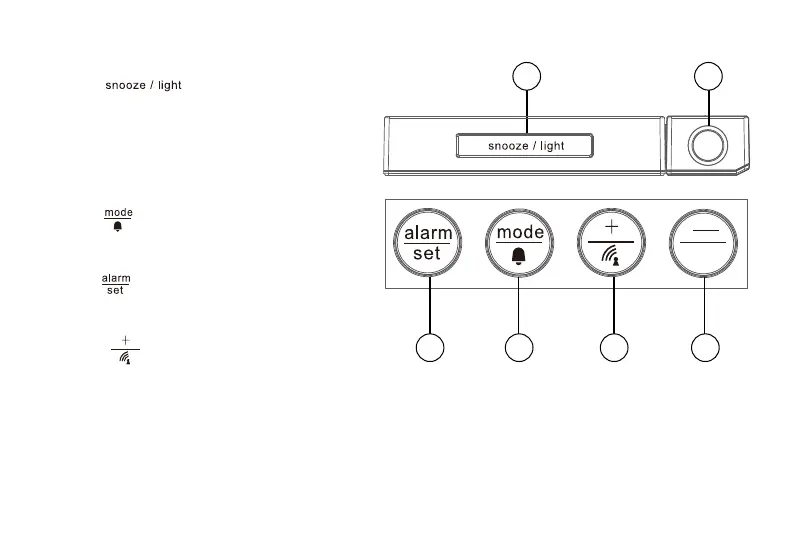
1. Press [ ] to activate the snooze
function, backlight and projection. In projecti-
hold to toggle projection on/off.
2. Projection lens.
3. Press [
] to switch between time and date.
In alarm time mode, press to turn on/off
alarm.
4. Press [
] to show alarm time of Alarm 1-5
and Alarm 6-7. Press and hold to enter alarm
setting.
5. Pr
ess
[
]
start RCC* signal receiving. In
setting mode, press to increase one unit, press
and hold to increase rapidly.
*Radio-controlled clock function not available in every territory
1
sensor
2
3
4
5
6
on, press to flip the projection display in 180°.
Keep the adapter plugged in, then press and


 To Next Page