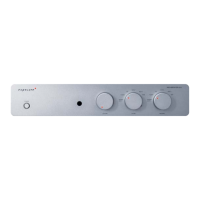
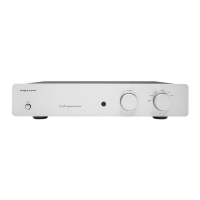
XM HP
Headphone Amplier
Quick Start Manual
Thank you for purchasing the Exposure XM HP Headphone Amplier
www.exposurehi.com
Contents & before you start
Please check the contents in the box:
Exposure XM HP
Headphone Amplier
HS3 Remote Control
(Batteries not included)
Mains Cable Driver Disc
Before you start
Ensure your unit is switched off and that
the volume control knob is at it’s minimum.
Please note that your Exposure XM HP
Headphone Amplier may take up to
48 hours to ‘run-in’ before reaching it’s
optimal performance.
Each subsequent ‘run-in’ will then take
about 20 minutes.
1 Installation
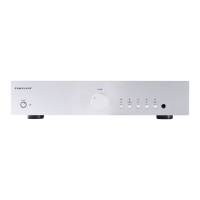
The XM HP Headphone Amplier : Front View
1. Please set the volume control knob
to minimum before connecting or
disconnecting any cables.
2. Connect the mains cable to the IEC mains
input socket.
3. Connect to the mains outlet on the wall.
DO NOT switch on until all input and output
connections are made.
Two (2) sets of headphones can be connected at any one
time.
XLR 6.35mm jacks
2 Source Component Connections
The XM HP Headphone Amplier : Back View
DIGITAL INPUTS
The XM HP Headphone Amplier is tted with an USB input
and four (4) SPDIF inputs (D1 to D4 are for connection to CD/
DVD/Satellite receiver etc.)
D1 & D3 SPDIF input (BNC Coax)
USB Connect to a PC or
Media player.
D2 & D4 SPDIF input (Optical)
ANALOGUES INPUTS
The XM HP Headphone Amplier is tted with three (3)
analogue inputs; AUX/PH, AUX 2, and AUX 3.
1. Connect RCA Phono cables from each source
component to the respective input.
2. Ensure left and right channels are connected correctly.
(Right channel is marked in red)
AUX/PH Connect to a Turntable that uses
a Moving Magnet (MM) cartridge.
Connect the arm ground wire to
the ground terminal provided
below the input socket.
AUX 2 Line level input to connect to any
line level source.
AUX 3 Line level input to connect to any
line level source.
GROUND TERMINAL
For turntable arm
ground wire
Preout
L
R
Back view of XM HP
Headphone Amplier
Right Speaker Left Speaker
Back view of a typical
Power Amplier
OUTPUTS
MON OUT
Monitor output for connection to a tape recorder input.
PRE OUT
Connect to an external Power Amplier (see diagram below).
Turn off the Power Amplier when headphones are in use.
When using the PRE OUT disconnect the headphones.
3 Operation
1. Turn the XM HP Headphone
Amplier volume control to
minimum.
2. Press the power switch on the XM
HP Headphone Amplier. The LED
power indicator will light up. The
output relay will activate after a
short delay.
3. Without playing any source, turn
the volume control knob slowly
clockwise to around 20%. You
should only hear a faint hiss.
4. Press the select button
for the desired input
source, indicated by
the LED.
Sound should now be heard when the
input source is played.
4 Remote Control
Functions for an Exposure CD
Player.
Increase/decrease the volume.
The LED on the volume knob will
ash as the volume is adjusted.
Press the select + or - for the
desired input source.
Press the appropriate button for
the desired input source.
Mutes the output to minimum.
The LEDs on the volume knob and the input source will
go out. Press MUTE again or press the VOL- button to
restore the output.


 To Next Page
 Need help?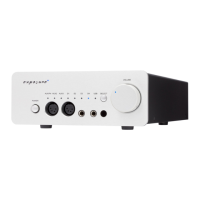

 General