
 Need help?
Do you have a question about the Extech Instruments 407860 and is the answer not in the manual?
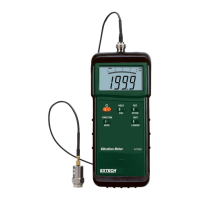
Details the components and indicators of the vibration meter's LCD screen.
Instructions on how to connect the vibration probe to the meter and machinery.
Covers turning the meter on/off and its automatic power-saving function.
Explains the use of the FUNCTION button for selecting measurement modes.
Explains how to select measurement units and switch between metric/imperial.
Details the function of the HOLD button to freeze displayed readings.
Describes the REC button for recording maximum and minimum measured values.
Procedure to adjust the meter to zero when no signal is applied.
Setting the time interval for automatic or manual data logging.
Procedure for starting and managing automatic data recording.
Steps to manually log single data points.
Instructions on how to erase stored data from the meter's memory.
How to access and review data stored in the meter's memory.
Overview of the meter's RS-232 port and compatible software for data transfer.
Steps to download logged data to a PC using DL2005 software.
Lists general technical details of the vibration meter.
Details measurement functions, units, ranges, and accuracy specifications.
 General
| Brand | Extech Instruments |
|---|---|
| Model | 407860 |
| Category | Measuring Instruments |
| Language | English |




 To Next Page
