EasyManua.ls Logo

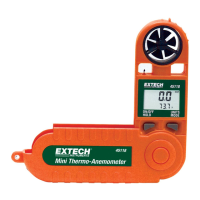
Extech Instruments 45118 - User Manual

Extech Instruments 45118
10 pages
Print Icon
To Next Page IconTo Next Page
Loading...
1 45118es Ver. 2.1 05/03
INSTRUCTION MANUAL
English / Español
Model 45118
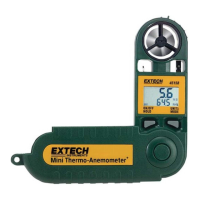
Mini Thermo-Anemometer
Air Velocity and Temperature Dual Display
Wind-chill Display
Data Hold, Average, and Auto OFF features
Selectable Air Velocity measurement units
1. INTRODUCTION
Congratulations on your purchase of Extech’s 45118 Mini Thermo-Anemometer. This
professional meter, with proper care, will provide years of safe reliable service.
2. SPECIFICATIONS
2.1General Specifications
Display Dual LCD with multifunction indicators
Measurements Knots, km/h, MPH, ft/min, m/sec, Beaufort force, windchill,
and temperature (C/F)
Wind-speed Moving 2 second average with 2 second gust detect
Sensor Sapphire bearing, non-corrosive vane for air velocity and
precision thermistor for temperature
Average Mode Choice of 5, 10, or 13 second average readings
Max Display Push button highest reading recall
Data hold Freeze most recent display
Sample time 1 reading per second
Water-resistant To 3’ (1 meter)
Min/Max wind-speed 1.1 to 62.5 MPH
Operating temperature 5 to 122
o
F (-15 to 50
o
C)
Operating humidity < 80% RH
Power supply Lithium battery type CR-2032 or equivalent
Battery life 400 hours approx.
Weight 3 oz. ( 95 g )
Dimensions Instrument: 5.25 x 2.75 x 0.75” (133 x 70 x 19mm)
Vane: 1” ( 24mm ) diameter
Question and Answer IconNeed help?

Do you have a question about the Extech Instruments 45118 and is the answer not in the manual?

Extech Instruments 45118 Specifications

General IconGeneral
BrandExtech Instruments
Model45118
CategoryMeasuring Instruments
LanguageEnglish

Summary

Introduction

Specifications

General Specifications

Lists key features and physical attributes of the device.

Electrical Specifications

Details measurement ranges, resolutions, and accuracy.

Meter Description

Operation

Select Units and Temperature

How to set desired units for air velocity and temperature.

Activate Data Hold

Freezing the most recent display for measurement analysis.

Max Operation Mode

Displaying highest recorded air velocity and temperature readings.

Average Mode Operation

Setting 5, 10, or 13-second averaging for readings.

Wind Chill Indicator

Displaying temperature factoring in wind chill conditions.

Battery Replacement

Vane Impeller Replacement

Calibration and Repair Services

Warranty

Useful Equations and Conversions

Area Equations

Formulas for calculating duct area.

Cubic Equations

Formulas for CFM and CMM calculations.

Related product manuals