
 Need help?
Do you have a question about the Extech Instruments pH300 and is the answer not in the manual?
Stores up to 100 pH and 100 mV readings after stabilization.
Recalls stored readings, allowing scrolling through data points.
Erases all stored readings from the meter's memory.
Steps to prepare the pH meter and probe for accurate measurements.
Detailed procedure for calibrating the meter using three standard buffer solutions.
Guidelines for performing one or two-point calibrations based on expected pH.
Troubleshooting common error messages like ERR-1 and ERR-2.
Recommendations for how often the meter should be calibrated.
Conditions that necessitate recalibrating the meter.
Proper methods for handling, storing, and maintaining the electrode.
Guidelines for cleaning the electrode bulb and body for accurate readings.
Understanding electrode passivation and factors affecting its lifespan.
Detailed specifications for pH measurement range, resolution, and accuracy.
Detailed specifications for mV measurement range, resolution, and accuracy.
Technical details including data storage, power, size, weight, and certification.
Environmental conditions for optimal meter operation.
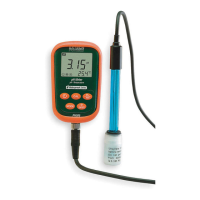
The Extech pH300 is a digital pH meter designed for accurate and reliable measurement of pH, mV, and temperature. This device is part of the Extech Instruments line, a FLIR Company, and is engineered for ease of use and durability, featuring a waterproof and dust-proof design that meets the IP57 rating.
The pH300 meter is equipped with a built-in microprocessor that facilitates automatic calibration, automatic temperature compensation (ATC), data storage, and self-diagnostics. It can recognize up to 13 types of pH standard buffer solutions, making it versatile for various applications. The meter's digital filter enhances measurement speed and accuracy, ensuring precise readings. In addition to standard pH measurements, the device also offers two specialized modes for ammonia and purified water, catering to specific industrial and laboratory needs. The meter's display provides clear readings of pH, mV, and temperature, along with icons indicating the parameter mode, stable measurement, calibration status, and battery level. It also shows a serial number for stored data, allowing users to track and recall measurements efficiently.
The pH300 is designed for intuitive operation with a five-button front panel keypad. The ON/OFF Power Key controls the device's power. The Calibration Key allows users to enter calibration mode and adjust displayed numbers or ON/OFF states in programming mode. The Function Key toggles between pH and mV measurement parameters with a momentary press, and a long press (at least 2 seconds) enters the programming parameters (P1, P2, P3, etc.), which can be scrolled through with subsequent presses. The Backlight and ENTER Key activates or deactivates the display backlight in measurement mode and confirms data entry in programming or calibration modes. The MEMORY STORE and RECALL Key stores displayed readings momentarily and recalls saved readings with a long press (at least 2 seconds). In programming mode, this key also changes displayed numbers or ON/OFF states.
To prepare for measurement, the user turns on the meter, selects pH mode if necessary, and connects the pH probe to the meter's jack, ensuring it is securely fastened. For pH measurements, a 3-point calibration (7.00pH, 4.00pH, and 10.01pH) is recommended daily for best results, especially for high accuracy. The calibration process involves rinsing the probe, submerging it in buffer solutions, stirring, and waiting for a stable reading before pressing the CAL key. The meter automatically guides the user through the calibration points, indicating completion with specific icons. The device also supports 1-point and 2-point calibrations if the expected measurement range is known, with corresponding icons (L, M, H) appearing on the LCD. After calibration, the probe is rinsed and submerged in the sample liquid, stirred briefly, and allowed to stabilize for an accurate reading. The meter also measures millivolt values, following a similar procedure of turning on, selecting mV mode, connecting the electrode, submerging it in the sample, and waiting for a stable reading.
The pH300 includes several programmable parameters to customize its operation. Parameter P1 allows selection of the pH buffer solution series (USA, NIS, or CH). P2 and P3 enable temperature compensation settings for distilled water and distilled water with ammonia, respectively, which are useful in specific industrial applications. P4 sets the temperature unit (°C or °F). P5 controls the display backlight time (0, 1, 3, or 6 minutes). P6 sets the automatic power-off time (0, 10, or 20 minutes). P7 allows users to restore factory default settings. To access these parameters, the user presses and holds the MODE key, then uses the CAL or M+/RM keys to adjust settings and the MODE or ENTER key to navigate or confirm.
The meter can store up to 100 pH and 100 mV readings, totaling 200 data points. To store a reading, the user waits for the stable measurement icon to appear and then momentarily presses the M+/RM key. Stored readings can be recalled by pressing and holding the M+/RM key, then scrolling through them using the CAL or M+/RM buttons. The ENTER key returns the meter to normal measurement mode. The stored memory can be cleared by pressing and holding the ENTER key for at least five seconds while in recall mode, which displays 'CLR' before returning to normal operation.
Proper maintenance is crucial for the longevity and accuracy of the pH300. The device provides error messages (ERR-1 for zero potential error and ERR-2 for slope error) to alert users to potential issues, prompting checks for air bubbles in the electrode, accuracy of pH buffers, or a need to reset to factory defaults. Calibration intervals depend on the sample and required accuracy; for high accuracy, calibration before each measurement is recommended, while for general accuracy, weekly calibration may suffice. Recalibration is necessary for new or long-unused probes, after measuring strong acids or alkaline solutions, after measuring solutions with fluoride or concentrated organic compounds, or if the sample temperature significantly differs from the calibration solution temperature.
The soaking solution in the protective bottle is vital for maintaining the activation of the glass bulb and junction. Users should loosen the capsule, remove the electrode, rinse it in purified water before use, and reinsert it, tightening the capsule to prevent leakage. If the soaking solution becomes turbid or moldy, it should be replaced. A soak solution can be prepared using 25g pure KCL dissolved in purified water and diluted to 100mL. The electrode should not be soaked in purified water protein solution or acid fluoride solution for extended periods, nor in organic silicon lipids.
For calibration accuracy, the standard buffer solution must be reliable and refreshed frequently, especially with heavy use. The meter and its electrode jack should be kept clean and dry, using medical cotton and alcohol if necessary. The sensitive glass bulb of the electrode should be protected from hard surfaces to prevent scratches or cracks, which can cause inaccurate readings. Before and after each measurement, the electrode should be washed with purified water and dried, but not with tissue, as it can affect stability and response time. If a sample adheres to the electrode, it should be thoroughly cleaned with a solvent.
Electrodes that have been used for extended periods, in strong solutions, or with substances that jam the junction may become passivated, leading to decreased sensitivity, slow response, and inaccurate readings. In such cases, the electrode should be replaced. If abnormal readings persist after recalibration, replacing the electrode or resetting the meter to factory default conditions (P7) should be considered. Heavy use, extreme conditions, and improper maintenance can shorten the electrode's lifespan.
 General
| Type | pH Meter |
|---|---|
| Measurement Range | 0.00 to 14.00 pH |
| Resolution | 0.01 pH |
| Calibration | Automatic, 1 to 3 points |
| Display | LCD |
| Waterproof | No |
| pH Accuracy | ±0.02pH |
| Accuracy | ±0.02 pH |
| Power Supply | 4 x 1.5V AAA batteries |
| Temperature Range | 0 to 50°C |
| Temperature Resolution | 0.1°C |
| Temperature Accuracy | ±1°C |
| Power | 4 x 1.5V AAA batteries |

 To Next Page