EasyManua.ls Logo

Extech Instruments VFL Series - User Manual

Extech Instruments VFL Series
13 pages
Print Icon
To Next Page IconTo Next Page
Loading...
48VFL & 96VFL v1.2 07/13
INSTRUCTION MANUAL VFL Series PID Controllers
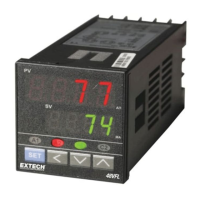
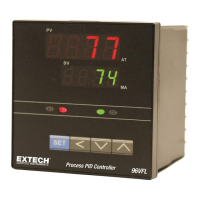
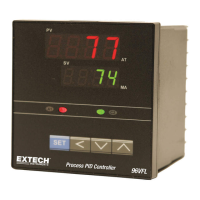
FRONT PANEL DESCRIPTION
PVProcess Value
SV
Setting Value
AT
Auto tuning LED
MA
Manual mode LED
A1
Alarm 1 LED
A2
Alarm 2 LED
C1
Control 1 LED
C2
Control 2 LED
SET KEY. Press once to access the next programmable parameter. Press and hold this key for 5
seconds to reset alarm timer.
UP KEY. Press to increase the set point or parameter value.
DOWN KEY. Press to decrease the set point or parameter value.
SHIFT KEY. Press the shift key for 5 seconds to execute Auto Tune process (Yes. 1 mode). To abort
an Auto Tune process, press and hold the shift key for 5 seconds.
Press the SET and UP keys once to return the normal operation.
LEVEL KEYS. Press and hold the SET & SHIFT keys simultaneously for 5 seconds to select the
programming level, and then press the SET key to enter the selected level.
---Press the UP & DOWN keys simultaneously for 5 seconds to access “LnLo” & “LnHi” parameters.
PANEL CUTOUT
Model A B C D E a b c d
48VFL 48 48 6 100 45 45+0.5 45+0.5 60 48
96VFL 96 96 10 80 91 92+0.5 92+0.5 120 96
(Units: mm)
w ww. . com
information@itm.com1.800.561.8187

Questions and Answers

  • M
    Meghan RomeroAug 8, 2025
    Why does the Process Value change abnormally on my Extech Instruments VFL Controller?
    • C
      christine67Aug 8, 2025
      If the Process Value of your Extech Instruments Controller changes abnormally, it might be due to Electromagnetic (EMI) or Radio Frequency (RFI) interference. To address this, protect the controller using arc suppressing external circuitry to eliminate high voltage spikes, ensure the sensor and power wiring are separated, and ground the heaters.
  • A
    amy83Aug 12, 2025
    What to do if my Extech Instruments VFL has no heat or output?
    • J
      jericksonAug 12, 2025
      If your Extech Instruments Controller displays no heat or output, begin by checking the wiring and the fuse. Also, inspect the heater itself for any defects.
  • A
    albertallenAug 16, 2025
    Why are the LEDs and display not lighting up on my Extech Instruments VFL?
    • R
      Ruben MillerAug 16, 2025
      If the LEDs and display on your Extech Instruments Controller are not lighting up, check the power connection first. If the issue persists, the controller may have failed and require servicing.
  • B
    billy43Aug 20, 2025
    What to do if the keypad is not functioning on my Extech Instruments VFL?
    • E
      Elizabeth SmithAug 20, 2025
      If the keypad on your Extech Instruments Controller is not functioning, the keypad might be locked or defective. Check the ‘LOCK’ parameter. If it is not locked, the unit may require service.
  • K
    Kenneth ChapmanAug 25, 2025
    How to fix process value unstable on Extech Instruments VFL?
    • J
      John MartinezAug 25, 2025
      If you are experiencing an unstable process value with your Extech Instruments Controller, it is likely due to improper PID tuning. You should tune the controller to correct this.
  • J
    John KellyAug 29, 2025
    Why is entered data lost on my Extech Instruments VFL?
    • D
      Denise CastilloAug 29, 2025
      If the entered data is lost on your Extech Instruments Controller, it could be due to an EEPROM error caused by EMI or RFI interference. Service is required to resolve this issue.
  • R
    Randy RogersSep 2, 2025
    What to do if the sensor is not connected to my Extech Instruments VFL?
    • S
      Shannon GonzalezSep 2, 2025
      If you are experiencing a sensor break or the sensor is not connected to your Extech Instruments Controller, connect or replace the sensor.

Extech Instruments VFL Series Specifications

General IconGeneral
BrandExtech Instruments
ModelVFL Series
CategoryController
LanguageEnglish

Related product manuals