GB4
CFI EXTEL - ENTRY 7 - 05/2017 - V1
6. USER GUIDE
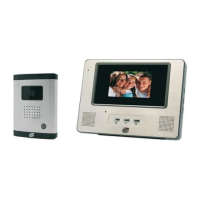
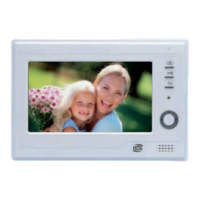
a. Using the videophone
• A call from the roadside panel triggers an audible alarm and switches on the monitor for
approximately 30 seconds. When the visitor has been identified, press the button to talk.
Note: The button only needs pressing once to communicate with the roadside panel.
• When the conversation is finished wait for the end of the time-out (approximately 1 minute) or press the
button
to turn the monitor off.
• Prolonging the image:
To prolong the image a further 60 seconds, press the key. Press the key to switch off the video signal.
Press the key again to switch off the monitor.
• Activating a latch:
The latch or lock is triggered when the button is pressed.
• Activating an automatic mechanism:
To activate an automatic control, press the button.
NB: The opening functions are only valid if the screen is switched on.
b. Controls on the videophone (g.2.1)
4 controls are located on the side of the monitor:
• Selection of the ring tone (12) (monitor on stand-by).
• Ring tone volume adjustment (15)
• Contrast adjustment (14).
• Brightness adjustment (13).
7. TECHNICAL CHARACTERISTICS
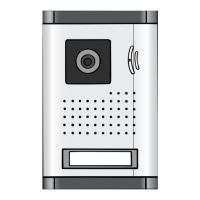
a. Monitor (MN ENTRY 7) b. Roadside panel (PL ENTRY 7)
• Reference: 810305 • Reference: 820305
• Power supply: 17 V • Camera: C-MOS Colour
• Consumption: 8 W • Viewing angle: H60° V42°
• Screen: 18 cm - 7’’ • Operating temperature: -20°C to + 55°C
• Resolution: 420 TV lines • Light sensitivity: approx. 0.1 Lux
• Size (mm): 210 x 120 x 22 • Strike plate control: 12V - 700mA maximum
• Door control: Breaking capacity 12V 2A
• Size (mm): 120 x 160 x 40
c. Power supply
• Adapter: 100-240V~, 50/60Hz; 17 V , 1A
8 . OPTIONS
• All Extel electric catches
• All Extel electric locks
• All Extel motors
• MODULO B modular power supply (wiring fig. 4)










 To Next Page