Need help?
Do you have a question about the Extel VPMN 626 and is the answer not in the manual?
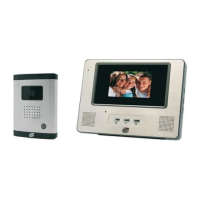
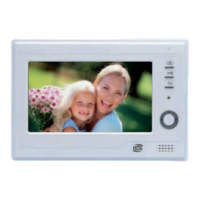
Provides a general overview of the internal monitor unit.
Provides a general overview of the external roadside camera unit.
Details the bracket used for mounting the system components.
Describes the power adapter supplied with the system.
Identifies and describes the available connectors for the system.
Details the various buttons, screen adjustments, and functions of the monitor.
Explains the microphone, camera lens, infrared LEDs, call button, and speaker on the external unit.
Step-by-step instructions for fitting and securing the roadside camera panel.
Step-by-step instructions for mounting and connecting the indoor monitor.
Instructions for connecting wires between the camera and monitor, including wire specifications.
Guide for wiring an electrical strike or lock to terminals 5 and 6 of the monitor.
Explains how to answer calls, communicate with visitors, and manage the screen.
Details how to access and modify brightness, color, and volume settings on the monitor.
Lists technical details for the monitor, including dimensions, resolution, and power.
Lists technical details for the power adapter, voltage, and current.
Lists technical details for the camera, including angle, sensitivity, and protection index.
 General
| Brand | Extel |
|---|---|
| Model | VPMN 626 |
| Category | Intercom System |
| Language | English |


 To Next Page