Need help?
Do you have a question about the Extel Connect 2 and is the answer not in the manual?
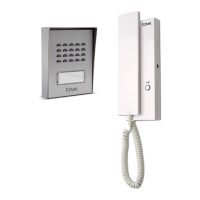
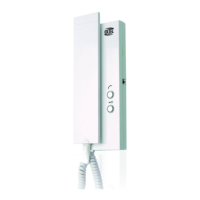
The main display unit of the videophone system.
The outdoor unit with camera and microphone.
Brackets for mounting the outdoor unit and indoor monitor.
Screws, plugs, and adapters included for installation.
Hexagonal screwdriver provided for installation.
The primary display interface of the monitor.
Components for audio capture and output.
Displays live feed from the intercom panel.
Buttons for navigating menus and functions.
Accessing time and menu when screen is off.
Actions performed during calls or surveillance mode.
Connection points for power and communication.
Exterior protection with camera and night vision.
Components for audio output and input.
Area for name display and button to initiate calls.
Detects ambient light for operational adjustments.
Terminals for strike plate, gate motor, and monitor.
Recommendations for connecting wires to prevent interference.
Steps for mounting the outdoor intercom panel securely.
Steps for mounting the indoor monitor and connecting power.
Instructions for wiring an electric strike plate.
Instructions for wiring an automated gate motor drive.
Explains the function of each monitor button.
Guide to using touch-sensitive buttons for menu navigation.
Overview of the main menu options on the monitor.
Settings for doorbell melody, ring volume, and talk volume.
Using the system for calls with a secondary monitor.
Configuring the monitor's Wi-Fi connection.
Viewing and managing recorded photos and videos.
Settings for Do Not Disturb, clock, and recording.
Steps to reset and prepare the videophone for smartphone connection.
Guide to connect the doorkeeper to a smartphone for the first time.
Procedure to re-pair the doorkeeper if already connected.
Explanation of the application's interface elements and functions.
Details on accessible settings within the smartphone application.
Generating QR codes for temporary access to strike plate or gate.
Maximum cable length and wiring type for the system.
Settings for lock control and doorbell melodies.
Details on screen resolution, photo storage, and panel sensor.
Electrical requirements, power consumption, and operating temperature.
Physical size and weight of the monitor and intercom panel.
List of certifications and standards the product adheres to.
Conditions that will void the product's warranty.
Guidelines for cleaning the device safely.
Details on what the warranty covers and excludes.
Important safety measures for installation and use.
Warnings related to electrical shock and proper usage.
Instructions for proper disposal of the device.
Statement of compliance with EU directive 2014/53/EU.
List of specific standards the product adheres to.
 General
| Brand | Extel |
|---|---|
| Model | Connect 2 |
| Category | Intercom System |
| Language | English |


 To Next Page